

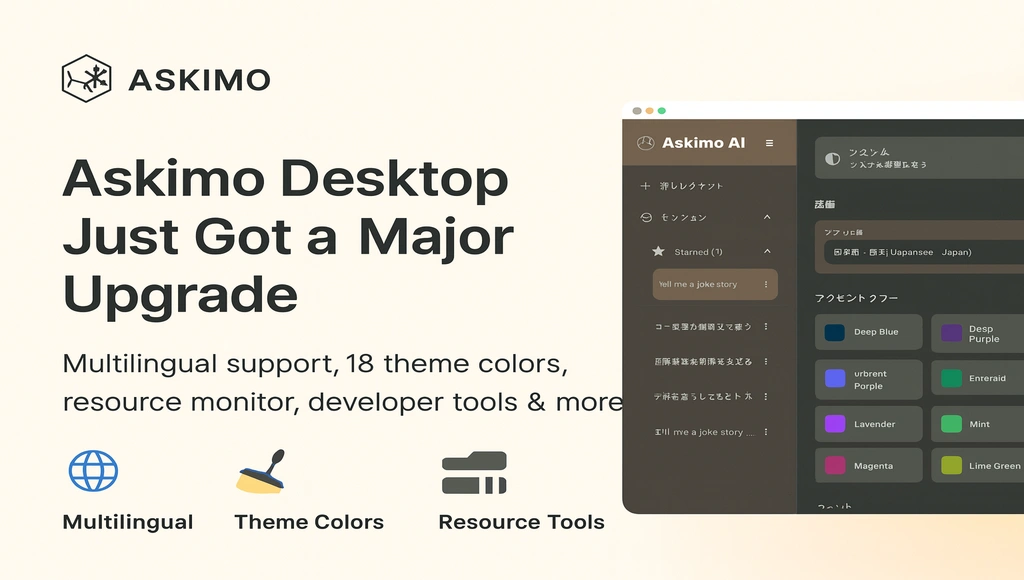
Askimo App just received its biggest update yet. This release makes Askimo faster, more reliable, more customizable — and more accessible to users around the world.
Whether you’re using Askimo for daily productivity or deep development workflows, this update improves the experience across the board.
🌍 Askimo Now Speaks 10+ Languages
AI tools shouldn’t be limited to English. Askimo App now supports fully localized interfaces in:
-
English
-
Vietnamese
-
Simplified Chinese (zh_CN)
-
Traditional Chinese (zh_TW)
-
Japanese
-
Korean
-
French
-
German
-
Spanish
-
Portuguese (Brazil)
This includes:
-
Menus
-
Settings
-
System dialogs
-
Error messages
-
Tooltips
-
Keyboard shortcuts
-
All built-in UI components
Users can now switch language directly in Settings → Language, and Askimo remembers the preference automatically.
This makes Askimo one of the most globally accessible AI desktop apps today.
🎨 New Themes With 18 Accent Colors
Customization matters — especially when you spend hours inside an app.
Askimo now includes:
-
Light Mode
-
Dark Mode
-
Automatic System Mode
18 customizable accent colors
Whether you prefer a neutral gray, a bright cyan, or something with personality, Askimo adapts to your workflow.
The new theme engine is faster, smoother, and consistent across macOS, Windows, and Linux.

⚡ Resource Monitor: Transparency & Performance
Askimo is built with efficiency in mind — and now it shows you exactly how well it performs.
A new Resource Monitor appears in the top-right of the interface, displaying:
-
Memory usage (MB)
-
CPU usage (%)

This gives users immediate insight into how Askimo behaves on their system — especially useful when running large prompts or local models (Ollama, LM Studio, LocalAI, etc.).
We’ve continued to optimize Askimo’s performance:
-
Low memory footprint
-
Fast startup
-
Efficient background operations
-
Smooth interactions with local AI providers
Askimo aims to be one of the lightest AI desktop apps available.
🧑💻 Developer Mode: New Tools for Power Users
We’ve added a new Developer Mode designed for advanced users, tinkerers, and anyone who wants deeper visibility.
Developer Mode includes:
-
Detailed AI response metadata
-
Prompt + system instruction visibility
-
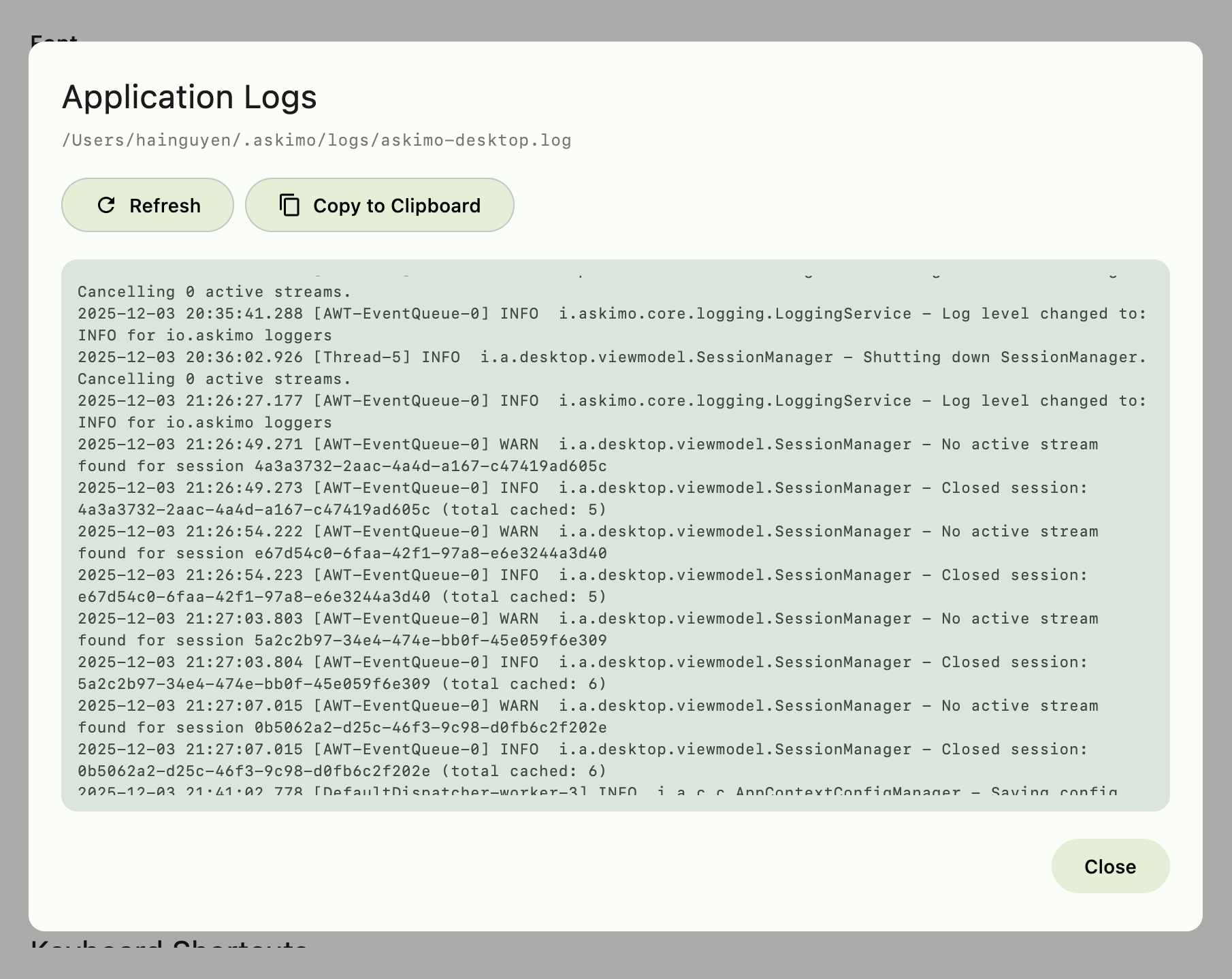
Session logs
-
Advanced diagnostics
You can now also adjust log levels:
-
Error
-
Warning
-
Info
-
Debug
-
Trace
This makes Askimo far easier to troubleshoot, especially when integrating with custom providers or using local inference engines.
If something doesn’t behave as expected, users can simply enable debug logs and send them to the Askimo team for support.
🔧 A Major Internal Refactor for Long-Term Quality
This update included one of the largest refactors in Askimo’s history.
Why?
Because as Askimo grows, code quality and maintainability matter more than ever. We have reorganized the architecture to be:
-
More modular
-
Easier to extend
-
Safer and more stable
-
Prepared for upcoming features
Key improvements:
-
Cleaner separation between UI, Core, Provider integrations, and Session management
-
Unified logging framework
-
More reliable file dialogs and filesystem interactions
-
Consistent cross-platform behaviors
-
Stronger testing infrastructure
-
Better performance across all platforms
This refactor ensures Askimo remains stable and efficient for years to come — even as we add more features and integrations.
🔮 What’s Next for Askimo App
We’re already working on the next set of improvements to make Askimo even more powerful and flexible. Upcoming features include:
-
More AI providers and model integrations Expanding support for additional cloud and local models to give you even more freedom of choice.
-
UI animations and layout refinements Smoother transitions, more responsive interactions, and an overall more polished experience.
-
RAG (Retrieval-Augmented Generation) for Desktop Askimo CLI already supports RAG — and soon, the Desktop app will let you index documents and chat with your knowledge base directly from the UI.
-
Project-based workflows Organize your chats, files, and RAG indexes into projects for cleaner, more structured work.
-
Expanded file support Including Office documents, PDFs, and more formats to make Askimo a true all-in-one assistant for your daily tasks.
Askimo continues to evolve quickly, and your feedback plays a major role in guiding our roadmap. Thanks for helping shape the future of Askimo!
❤️ Thank You for Supporting Askimo
Askimo started as a personal tool — and has grown into something used by people around the world.
Your support, feedback, and enthusiasm help push the project forward.
If you want to help:
- ⭐ Star Askimo on GitHub
- 💬 Send feedback anytime
- 📣 Share Askimo with friends and colleagues