

Download Askimo
Native desktop app for macOS, Windows & Linux. Use ChatGPT, Claude, Gemini, and Ollama with complete privacy.
Get Started in Seconds
Choose your platform and download the native installer. No account required, no credit card, completely free.
View all releases on GitHub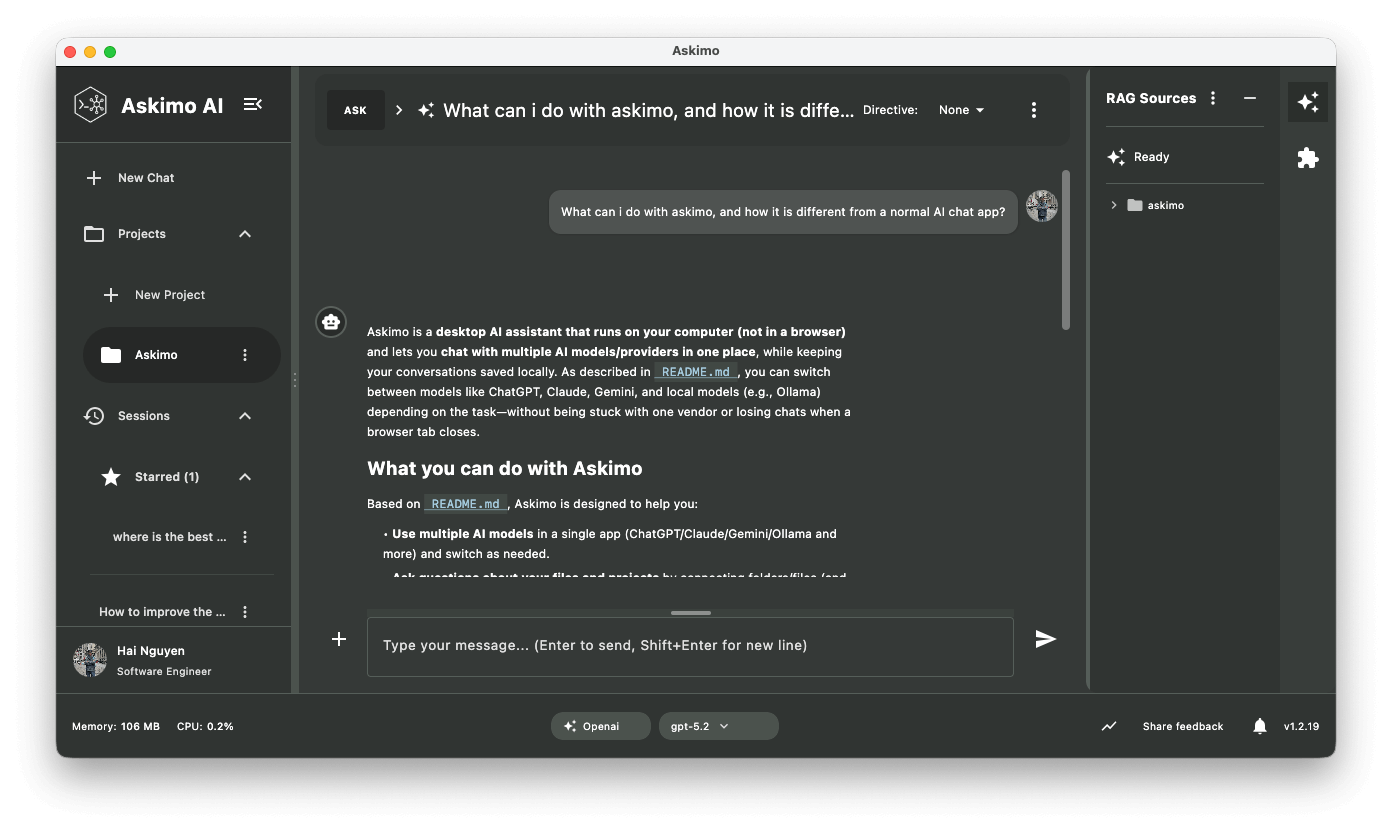
Installation Instructions
View full installation guideWhat you get
Privacy First
All data stored locally on your computer. No cloud sync, no tracking.
Works with All LLMs
ChatGPT, Claude, Gemini, Ollama, and more — all in one app.
Chat with Your Documents & Websites
Upload files or paste URLs to ask AI questions about them. Get answers grounded in your own data.
AI Agent Skills
Run autonomous AI agents (Claude Code, Gemini CLI, Codex) directly on your local files. Review code, refactor projects, and scaffold apps — no copy-pasting, just results.
MCP Integrations
Connect AI to your tools via Model Context Protocol. Give the AI access to files, APIs, databases, and more.
AI Plans: Multi-Step Workflows
Chain multiple AI prompts into automated workflows. Each step builds on the last. Run research reports, investment briefs, job applications, and more with a single click.
Frequently Asked Questions
Common questions about downloading and installing Askimo
What are the system requirements?
macOS 11.0 (Big Sur) or later for Mac users. Windows 10 or later for Windows users. Ubuntu 20.04+, Debian 11+, or equivalent for Linux users. Java 21+ is required if you're installing via JAR file instead of native installers.
Which installer should I download?
For macOS: Choose Apple Silicon if you have an M1, M2, M3, or newer Mac. Choose Intel if you have an older Intel-based Mac. For Windows: The MSI installer works for all versions (x64 and ARM). For Linux: Choose x64 for most systems, or ARM64 if you're running on ARM-based hardware like Raspberry Pi.
Is Askimo safe to download?
Yes. Askimo is open source software licensed under GNU AGPL. All installers are digitally signed and distributed through GitHub Releases. You can review the source code at github.com/haiphucnguyen/askimo before downloading.
Do I need to create an account?
No account needed. Askimo is completely free and doesn't require registration. Just download, install, and start using it with your own API keys for the AI platforms you want to use.
How do I update Askimo?
Askimo will notify you when new versions are available. You can download the latest version from this page and install it over your existing installation. Your settings, chat history, and indexed data will be preserved during updates.
Can I install on multiple computers?
Yes! Askimo is free and open source. You can install it on as many devices as you want - your work laptop, home desktop, personal MacBook, etc. Each installation is independent with its own local data storage.