

AI Agent Desktop App for
One app for every AI model. Use ChatGPT, Claude, Gemini, Grok, and local LLMs together in one native desktop app. AI workflow automation with Plans, MCP client support, and RAG for your documents. Your conversations stay private with local storage.
100% Free • Open Source • Windows, Mac & Linux
Interactive Showcase
Explore the features and capabilities of Askimo App through our interactive showcase.
Why Use a Desktop AI Chat App Instead of Web Browser?
Get faster performance with native desktop AI chat software, use multiple AI models and local LLMs in one app, and keep your AI conversations private with local data storage.
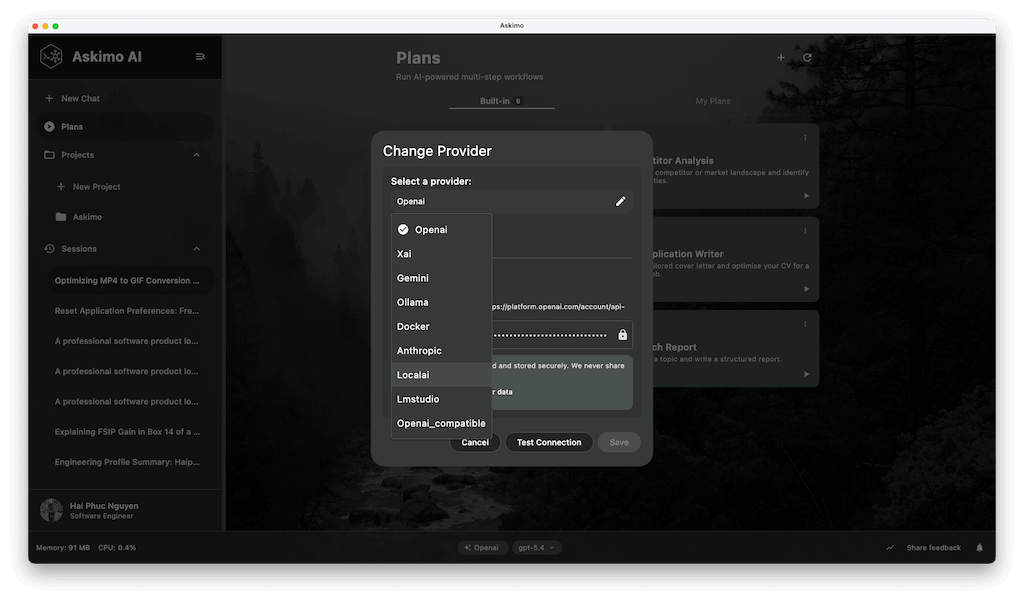
Use ChatGPT, Claude, Gemini & Ollama in One App
Switch between ChatGPT, Claude, Gemini, and Ollama with one click. Compare AI model responses side-by-side to find the best answer. Test different language models for your specific tasks. No more switching between browser tabs or managing multiple AI subscriptions.
Faster Than Web-Based AI Chat Tools
Native desktop app built with Kotlin and Compose Multiplatform - not a slow Electron web wrapper. Optimized for macOS (Apple Silicon Mx), Windows, and Linux. Fast startup, low memory usage, and works offline with local LLMs like Llama and Mistral via Ollama. Instant conversation loading and near-instant search across all your AI chats.
Private AI Chat with Local Storage
All AI conversations, API keys, and chat settings stored locally on your computer with encryption. No cloud sync required. No data tracking, no analytics, no personal information collection. Export your AI chat history anytime. Complete ownership and control of your AI conversation data.
AI Chat Desktop App Features for Windows, Mac & Linux
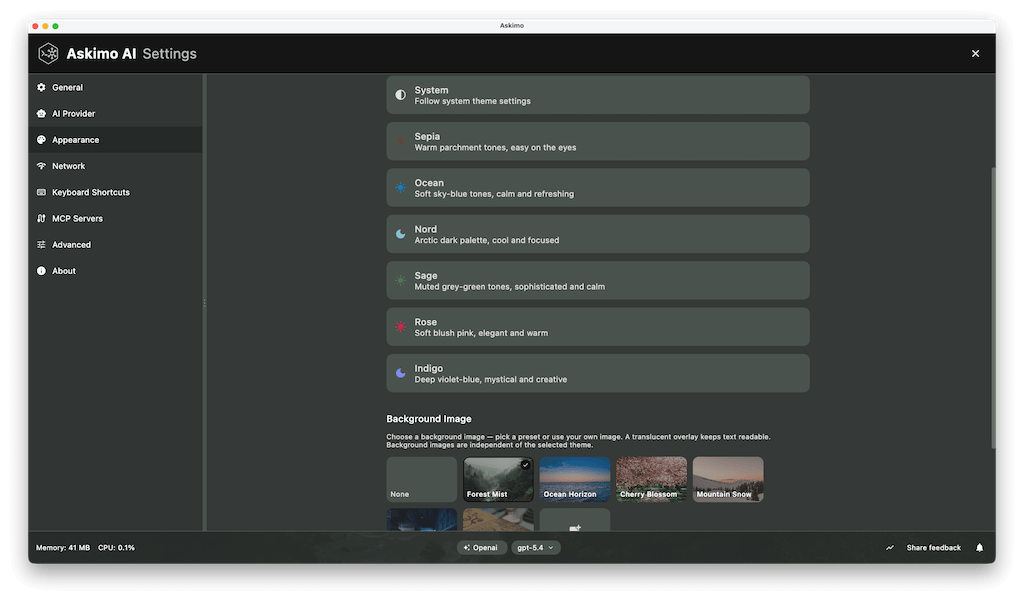
Complete AI chat client with multi-model support, conversation search, markdown rendering, keyboard shortcuts, and privacy-first local storage.
Multi-AI Model Chat App
Use ChatGPT, Claude, Gemini, Ollama, Grok, LM Studio, LocalAI, and Docker AI. Switch between AI providers instantly without opening multiple apps.
Search AI Conversation History
Full-text search across all your AI chats. Find any past conversation instantly by keyword, AI provider, date, or content. Organize and retrieve your AI chat history efficiently.
Markdown & Code Syntax Highlighting
Beautiful rendering of AI responses with markdown support. Syntax highlighting for 50+ programming languages. Format tables, lists, LaTeX math equations, and code diagrams. One-click code copying.
Custom AI Chat Templates
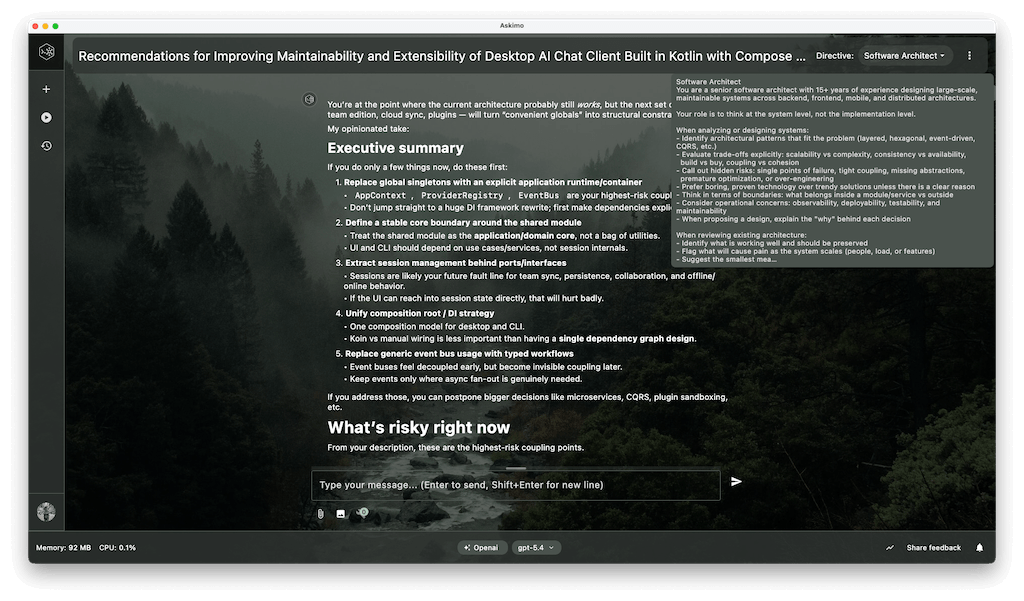
Create reusable prompt templates for common AI tasks. Build your personal library of AI assistants with custom instructions, tone settings, and context. Save time with pre-configured AI chat workflows.
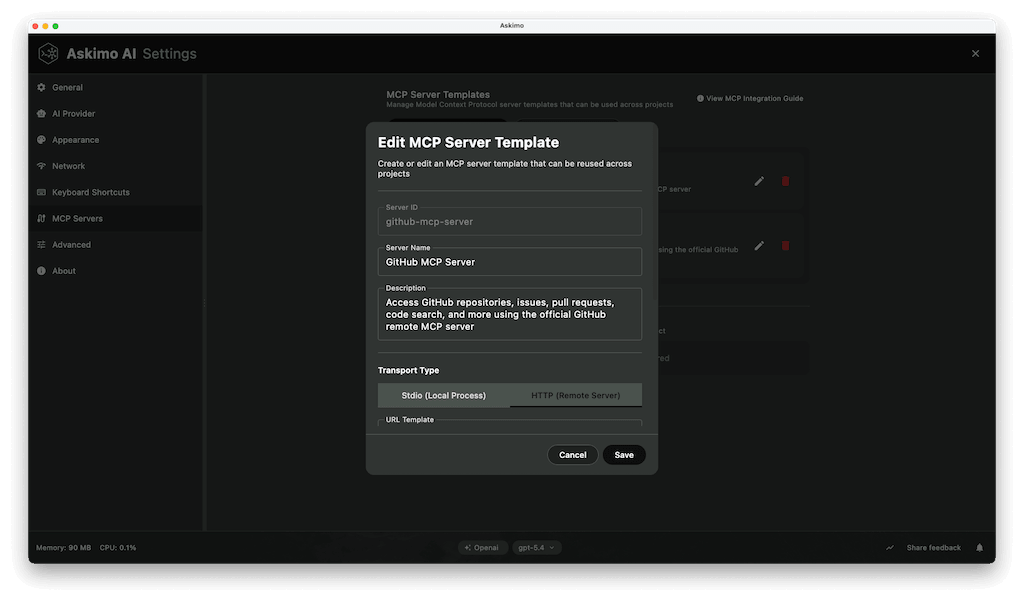
MCP Client Desktop App
Askimo is a full MCP client desktop app. Connect to any MCP-compatible server via stdio or HTTP. Ask for something, let the AI agent run an MCP tool, and get the result back in the same response. Bring your own tools - web search, databases, APIs, and more.
Encrypted Local AI Chat Storage
AES-256 encryption for API keys and sensitive data. SQLite database for local conversation storage. Zero telemetry, no cloud sync required. Your AI chats stay completely private on your device.
RAG: AI Chat with Your Documents
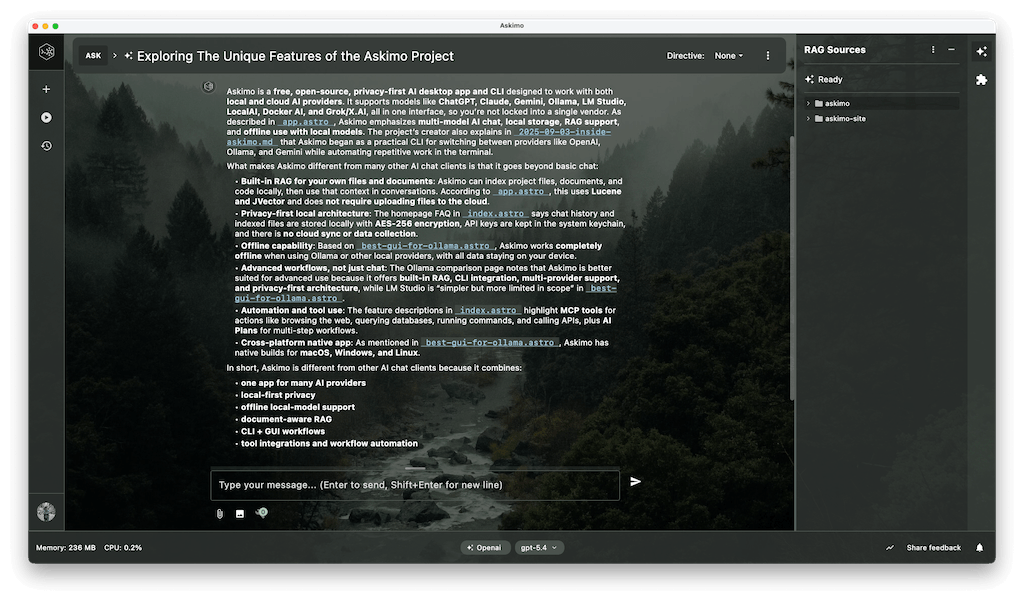
Connect AI to your files and documents with Retrieval-Augmented Generation (RAG). AI answers questions using context from YOUR codebase, PDFs, and documentation-not generic responses. Hybrid search with JVector and Lucene.
AI Chat Usage Analytics
Track token consumption, API costs, and response times for each AI provider. Monitor RAG performance with retrieval metrics. View detailed AI usage statistics. All analytics data stored locally on your computer.
Backup & Export AI Conversations
Export all your AI conversations, settings, RAG indexes, and custom templates. Import data on any device. Migrate your entire AI chat workspace between computers without losing history.
See what professionals are saying about their AI desktop experience with Askimo.
"Finally, one AI desktop app that lets me use any AI model I want. Being able to switch between GPT-4 and Claude mid-conversation is exactly what I needed."
Emily Chen
Full Stack Developer
"Askimo feels incredibly fast. Even with local models through Ollama, it stays lightweight and responsive. Best AI desktop client I've used."
David Rodriguez
DevOps Engineer
"The multi-language support makes this the first AI app my parents can actually use. Privacy-first architecture is a huge plus for our team."
Sarah Thompson
Product Manager
"Love the clean UI and the flexibility. It feels like a real productivity tool, not just another Electron wrapper. RAG support is impressive."
Alex Kumar
Software Engineer
"I've tried several AI desktop clients - Askimo is the most balanced and stable. Local storage means I own my data. No vendor lock-in."
Michael Park
Tech Lead
"Using multiple AI models in one app is a game changer for workflow automation. Being able to compare Claude vs GPT-4 responses side-by-side is invaluable."
Jessica Martinez
AI Researcher
Works with ChatGPT, Claude, Gemini, Ollama & 4 More AI Providers
Desktop AI chat app supporting OpenAI, Anthropic Claude, Google Gemini, and local AI models with Ollama, LM Studio, and LocalAI. Switch between AI providers in one interface.
Askimo vs ChatGPT Desktop vs LM Studio vs Ollama GUIs
Compare free AI agent desktop apps: Askimo vs ChatGPT Desktop vs LM Studio vs Ollama GUIs. Feature comparison for local LLM support, MCP client, AI workflow automation, multi-model chat, local storage, RAG, and privacy.
| Feature | Askimo | LM Studio | Ollama Desktop GUIs | ChatGPT Desktop |
|---|---|---|---|---|
| Use multiple AI models (ChatGPT, Claude, Gemini) | | | | |
| Local AI models support (Ollama, LM Studio) | | | | |
| Cloud AI providers (OpenAI, Claude, Gemini) | | | | |
| Native desktop application | | | Varies | |
| Command-line interface (CLI) included | | | | |
| AI automation and scripting | | | | |
| RAG for documents and code | CLI only (Desktop coming) | | | |
| Search conversation history | | | | |
| Favorite/star AI conversations | | | | |
| Custom AI prompt templates | | | | |
| Export AI chat history | | | Varies | |
| Private local data storage | | | Varies | |
| Offline AI chat history | | | Varies | |
| Works offline (local models) | | | | |
Who Uses Askimo? Developers, Writers, Researchers & Business Teams
From indexing codebases with RAG to running AI workflow automation with multi-step Plans and connecting MCP tools, Askimo turns any AI model or local LLM into a full productivity workflow - privately, on your machine.
Software Developers & Programmers
- ✦ Index your entire codebase with RAG and ask questions about any function, module, or architecture decision
- ✦ Build an AI Plan that profiles a bug, proposes a fix, writes the patch, and generates unit tests - all in one automated run
- ✦ Connect MCP tools to call APIs, query databases, or trigger CI/CD pipelines directly from chat
- ✦ Run AI-generated Python or Bash scripts instantly in a sandboxed environment, no terminal switching needed
Content Writers & Copywriters
- ✦ Index your brand guidelines so AI always writes in your voice, with consistent context across every session
- ✦ Create an AI Plan that researches a topic, drafts the article, then reformats it as a tweet thread, newsletter, and LinkedIn post in sequence
- ✦ Compare how Claude, GPT, and Gemini approach the same brief before choosing the best angle
Academic Researchers & Students
- ✦ Upload papers and notes, then ask questions that span the entire collection using local RAG indexing
- ✦ Run a multi-step Plan that summarizes sources, identifies gaps, drafts a literature review, then formats citations - all without copy-pasting between steps
- ✦ Ask AI to generate an analysis script, then run it safely inside Askimo with no setup or terminal switching
Business Professionals & Consultants
- ✦ Ask questions across internal policies, contracts, and reports, all indexed locally with nothing sent to the cloud
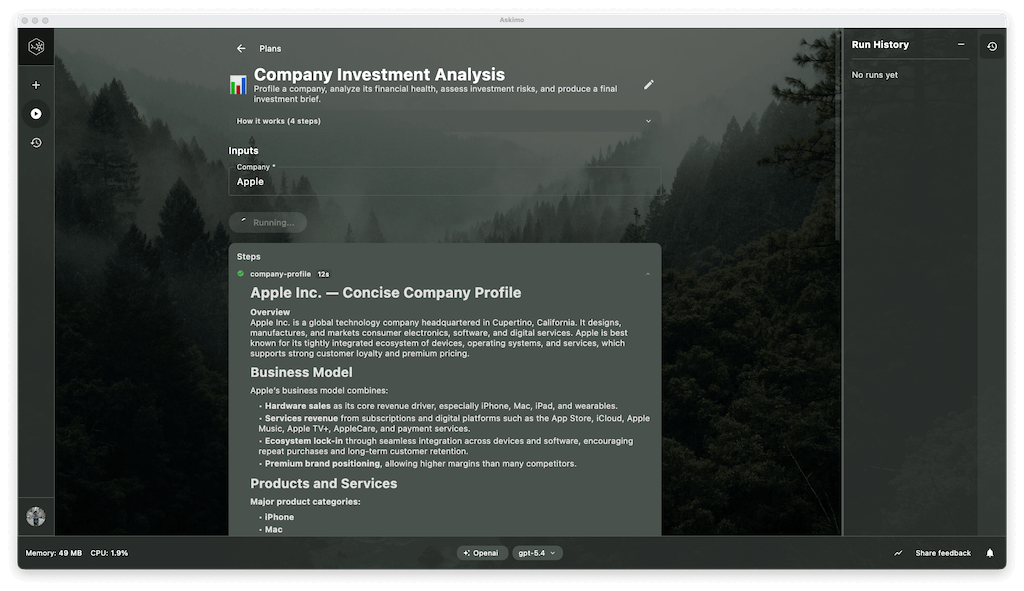
- ✦ Run an AI Plan that pulls data via MCP, analyses performance, identifies risks, and writes an executive summary - ready to present in one click
- ✦ Process confidential documents with a fully local AI model so your data never leaves your machine
Frequently Asked Questions About AI Chat Desktop Apps
Common questions about using multiple AI models (ChatGPT, Claude, Gemini, Ollama) in one desktop application.
Can I use multiple AI models like Claude, Gemini, and Grok in one desktop app?
Yes. Askimo is a free, open-source desktop app that lets you use ChatGPT, Claude, Gemini, Grok, and local LLMs all in one place. Switch between any AI provider mid-conversation and run AI workflows with Plans. Askimo supports any provider, stores all data locally, and requires no account or subscription.
Can Askimo be used as an AI agent desktop app with MCP tools?
Yes. Askimo is a full AI agent desktop app with a built-in MCP client. Connect any MCP-compatible server to give the AI access to web search, databases, APIs, file systems, or custom tools. The agent runs the tool, gets the result, and continues the conversation - all in one seamless flow.
Does Askimo support AI workflow automation?
Yes, through the Plans feature. Plans let you define multi-step AI workflows where each step has a focused role - researcher, analyst, writer - and the output of each step feeds automatically into the next. Fill in a form, press Run, and get a finished deliverable. You can create custom Plans in YAML or generate them by describing your workflow in plain English.
Can I use ChatGPT and Claude together in one desktop app?
Yes! Askimo is a free desktop AI chat app that lets you use ChatGPT, Claude, Gemini, Ollama, and other AI models in one unified interface. Switch between AI providers with one click or compare responses side-by-side.
Is my AI chat data stored locally or in the cloud?
All your AI conversations, API keys, and app settings are stored locally on your computer with encryption. Askimo uses a privacy-first architecture with no cloud sync, no online tracking, and no data collection. You have 100% control over your AI chat history and personal data.
Do I need API keys to use this AI chat desktop app?
For cloud AI providers (OpenAI ChatGPT, Anthropic Claude, Google Gemini), you need your own API keys which are encrypted and stored securely on your local machine. For local AI models (Ollama, LM Studio, LocalAI), you don't need any API keys-just install the local AI software and connect.
Can I use AI chat offline with local models?
Yes! Askimo works completely offline when using local AI models through Ollama, LM Studio, or LocalAI. Run open-source models on your computer without internet connection. Your full chat history remains accessible offline.
How does RAG (AI with your documents) work in this app?
Askimo's RAG (Retrieval-Augmented Generation) feature indexes your project files, documents, and code locally using Lucene and JVector. When chatting with AI, it searches your indexed content to provide context-aware answers based on YOUR specific files-not generic internet knowledge. No file uploads to cloud required.
What operating systems support this AI chat desktop app?
Askimo runs on Windows (7, 10, 11), macOS (10.14+, including Apple Silicon Mx), and Linux (Ubuntu, Debian, Fedora, Arch). Download native installers: DMG for Mac, MSI for Windows, DEB for Linux, or universal JAR file for any platform with Java 21+.
Can I export and backup my AI conversations?
Yes, you can export individual AI chats or all conversations for backup, documentation, or sharing. Askimo supports importing chat history too, making it easy to transfer your AI conversation data between computers or restore from backups.
Is this AI chat desktop app free? Are there subscription fees?
Askimo is 100% free and open source (GNU AGPLv3 license). No subscription fees, no paywalls, no account registration required. You only pay for your own AI API usage costs (OpenAI, Claude, Gemini). Local AI models through Ollama are completely free with zero API costs.
Download Free AI Chat Desktop App for Windows, Mac & Linux
⭐ Free forever · 🚀 Open source · 💜 Community-driven AI chat app