

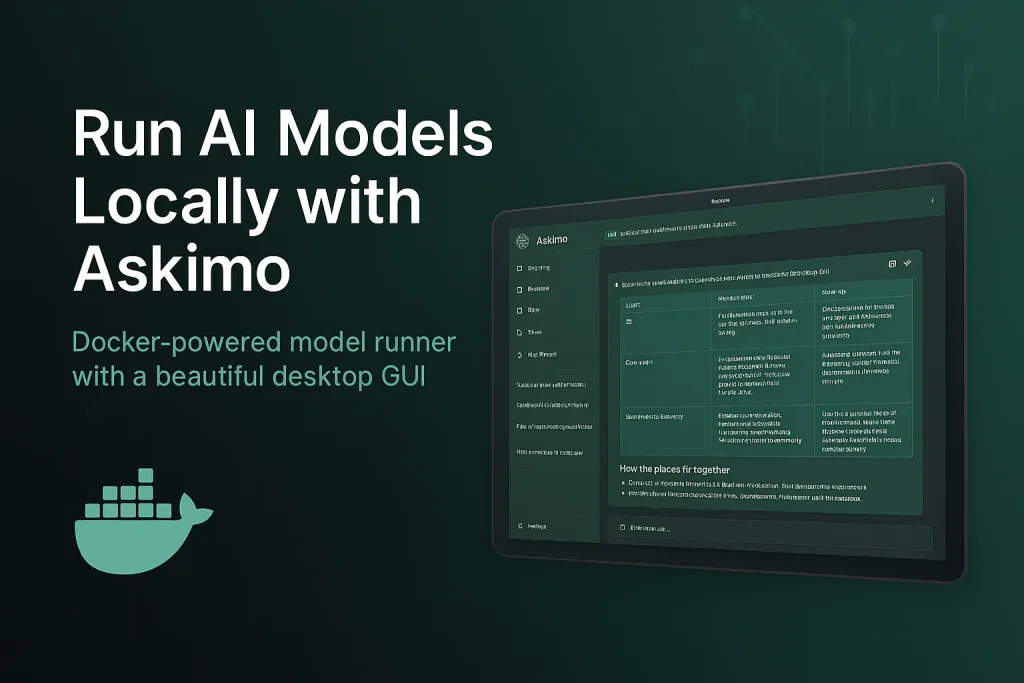
If you’re searching for a Docker Model Runner client, Docker AI GUI, or a fast desktop interface for running local AI models via Docker’s official AI feature on macOS, Windows, or Linux, this guide introduces Askimo App as a comprehensive solution. Askimo provides a native desktop experience for Docker Model Runner, Docker’s official feature that simplifies running Large Language Models (LLMs) locally using standard Docker CLI commands with OpenAI-compatible API endpoints.
Why Docker Model Runner? Many development teams already have Docker installed on their machines for containerized workflows, making Docker Model Runner a natural choice for running local AI models. There’s no need to install additional tools or platforms—just use the Docker infrastructure you already have to run LLMs locally with a single command.
TL;DR: Set up Docker Model Runner (Docker’s official AI feature with OpenAI-compatible endpoints), download the Askimo App GUI, configure Askimo to connect to your local Docker AI endpoint, select your preferred model, and start chatting with fully searchable, organizable, and exportable local AI conversations with enhanced privacy and low latency.
What is Docker Model Runner?
Docker Model Runner is Docker’s official feature that simplifies running AI models (especially Large Language Models) locally using standard Docker CLI commands. Introduced by Docker, this feature enables developers to:
- Run LLMs locally with low latency - Models execute on your machine for faster responses
- Enhanced privacy - Your data never leaves your machine
- OpenAI-compatible API endpoints - Easy integration into existing applications
- Test models quickly - Spin up AI models with simple Docker commands
- No complex setup - Use familiar Docker CLI workflows
- Leverage existing infrastructure - Most development teams already have Docker installed
Docker Model Runner mimics an OpenAI-compatible API endpoint, making it seamless to integrate local AI models into your applications while maintaining complete privacy and control.
Why Teams Choose Docker Model Runner
For many development teams, Docker is already a fundamental part of their workflow. Whether it’s for containerizing applications, running databases, or managing microservices, Docker is typically already installed on every developer’s machine. Docker Model Runner leverages this existing infrastructure, eliminating the need to install and maintain separate AI model runtime environments. You can simply use docker model run llama3 and start chatting with local AI models—no additional setup required.
Why Use a Desktop Client for Docker Model Runner?
While Docker Model Runner provides a simple CLI interface for running local AI models, a dedicated client like Askimo adds essential productivity features for serious AI workflows:
- Persistent conversation history across all your Docker Model Runner chat sessions
- In-chat full-text search to find messages within your local AI conversations
- Star and pin important conversations for instant access
- Export chats to Markdown, JSON, or HTML for documentation, notes, or team sharing
- One-click provider switching between Docker Model Runner and cloud AI providers (OpenAI, Claude, Gemini)
- Project-aware RAG for context-aware conversations with your codebase using local models
- Custom themes, keyboard shortcuts, and structured workflows
- Lazy loading for massive chats (Askimo only loads older messages when you scroll up)
- Usage telemetry - Track your AI usage with detailed metrics on token consumption, response times, and costs. Monitor RAG operations including classification decisions, retrieval performance, and chunks retrieved. All data stays local on your machine
Askimo transforms Docker Model Runner experimentation from scattered CLI commands into a repeatable, professional app workflow.
Why Askimo’s Desktop Performance Outperforms Web UIs:
Most web UIs render the entire conversation into the DOM. As your chats grow into hundreds or thousands of messages with local models, memory usage spikes and the GUI begins to lag. Scrolling stutters, input becomes delayed, and rendering slows down.
Askimo’s desktop client takes a different approach. It’s built with a native-first, resource-aware design: messages stream in as you chat with your local models, and older history stays virtualized. Older messages are loaded only when you scroll up. This keeps memory usage low and desktop performance consistently smooth, even during long research sessions or large coding conversations with local Llama 3, Mistral, or other models.
Askimo App vs Docker Model Runner CLI vs Web UI Comparison
| Workflow Feature | Docker Model Runner CLI | Generic Web UI | Askimo App for Docker Model Runner |
|---|---|---|---|
| Multi-provider support | Single local endpoint | Usually single endpoint | Built-in switcher (local + cloud) |
| Chat history | No automatic logs | Basic/varies | Organized & searchable |
| Export options | Manual copy | Rare | Markdown, JSON & HTML export |
| Star / organize chats | Not available | Limited | Favorites + structured sessions |
| Local privacy | Fully local | Depends on tool | Local + optional cloud |
| Cross-platform | Linux/macOS/Win | Varies widely | Linux/macOS/Win native |
| Project-aware RAG | Not available | Usually not available | Built-in with local privacy |
Step 1: Install Docker and Set Up Docker Model Runner
Docker Model Runner works on macOS, Windows, and Linux. First, ensure Docker is installed:
Install Docker
- macOS & Windows
Download Docker Desktop: https://www.docker.com/products/docker-desktop/
- Linux
curl -fsSL https://get.docker.com -o get-docker.shsh get-docker.shVerify Docker is running:
docker --versionSet Up Docker Model Runner
Docker Model Runner uses the docker model CLI command to run AI models locally with OpenAI-compatible endpoints:
# Pull and run a model using Docker Model Runnerdocker model run llama3
# Or try other modelsdocker model run mistraldocker model run phi3docker model run gemma
This starts a local server with an OpenAI-compatible API endpoint (typically on http://localhost:12434/v1).
Test the endpoint:
curl http://localhost:12434/v1/modelsAlternative Options: If you prefer to use Ollama directly (without Docker Model Runner) or need detailed setup instructions for other OpenAI-compatible services, check out our comprehensive guide on using Askimo with Ollama for step-by-step instructions.
Step 2: Install Askimo App (Docker AI GUI)
Askimo App binaries:
Open the app (Applications folder / Start Menu) and proceed to provider setup.
Step 3: Connect Askimo App to Docker Model Runner
Askimo connects to Docker Model Runner’s OpenAI-compatible endpoints:
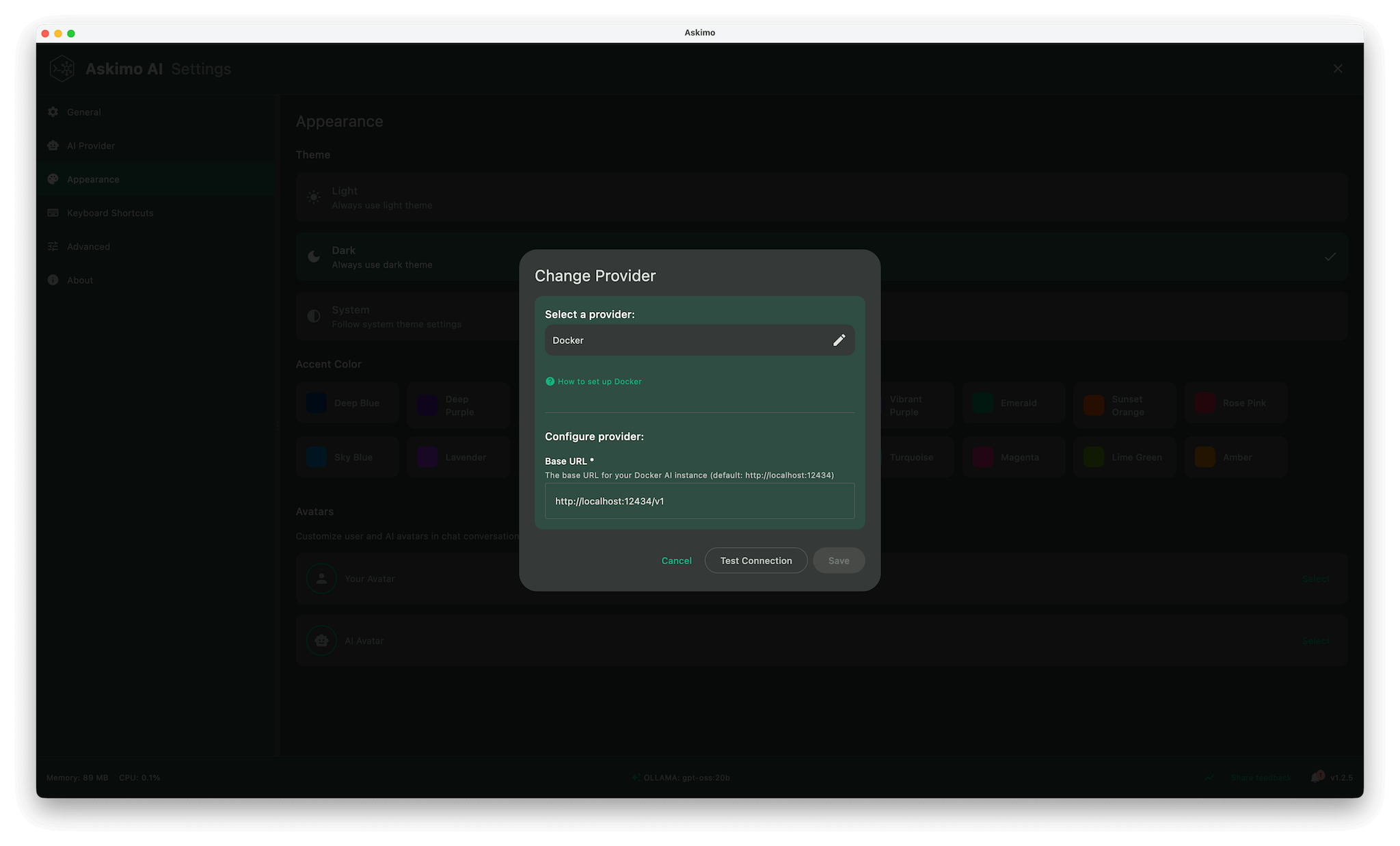
- Open Askimo App
- Go to Settings → Providers
- Select Docker (or create a custom provider)
- Set the endpoint to Docker Model Runner’s API:
- Default:
http://localhost:12434/v1 - Custom port:
http://localhost:[YOUR_PORT]/v1
- Default:
- Choose a model from the dropdown (models are fetched automatically)
- Save & start chatting
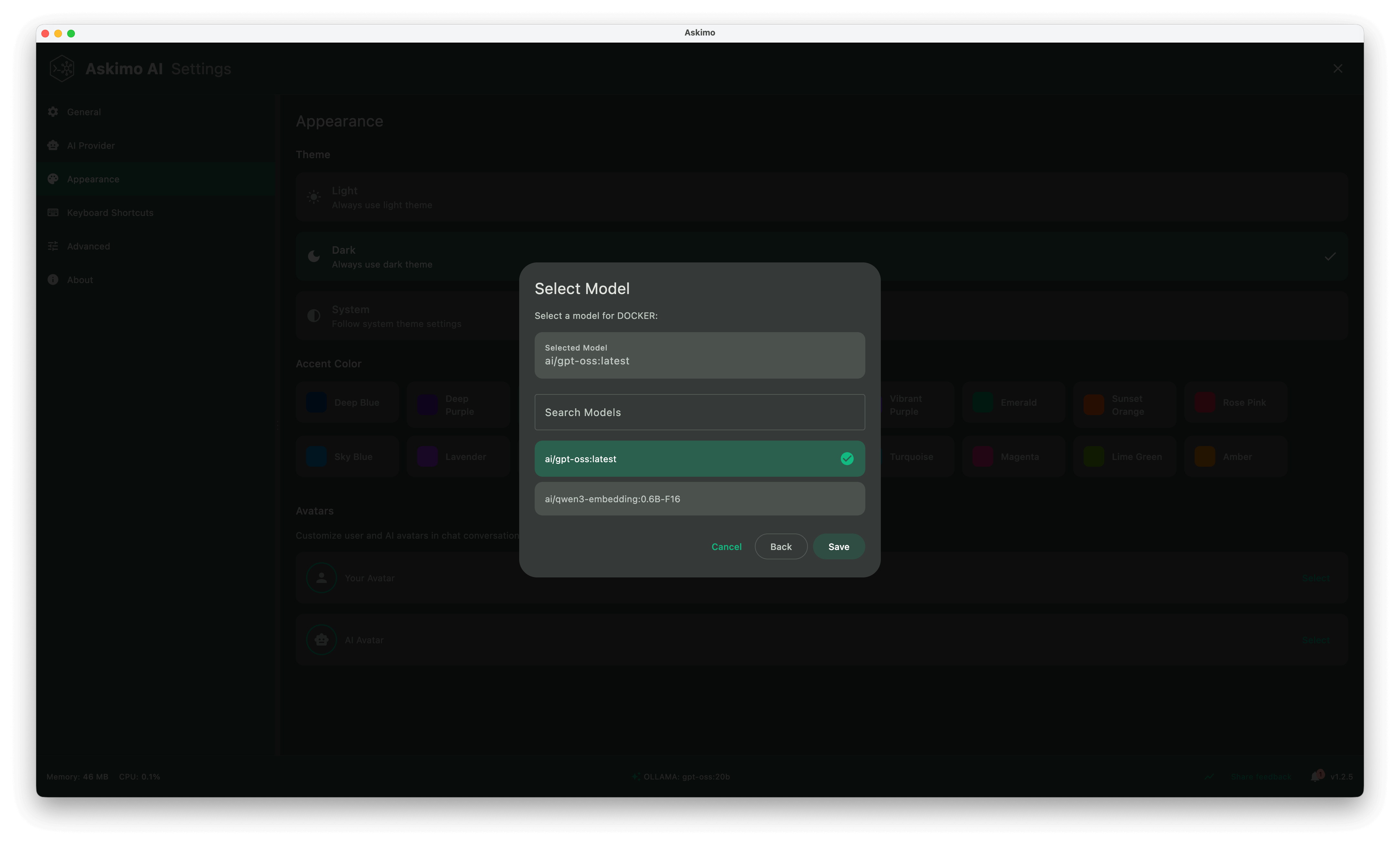
Switch between local AI models instantly with no terminal commands required.
Using other services? For Ollama, vLLM, or other OpenAI-compatible endpoints, see our Ollama integration guide.
⚠️ Important Limitation: At the time of writing this blog post, Docker Model Runner does not provide custom settings for context length configuration. The default context length is relatively low, which may impact your user experience when maintaining long conversations in a single session. The model may lose track of earlier parts of the conversation once the context window is exceeded.
Workaround: If you need longer context windows or more control over model parameters, consider using Ollama directly, which allows you to customize context length, temperature, and other model parameters. Ollama provides more flexibility for production use cases and extended conversations.
Askimo App Feature Deep Dive for Docker Model Runner
Below is a deeper look at what makes Askimo more than “just another Docker AI chat interface”.
1. Performance & Resource Efficiency for Local AI Chat
- Lazy loading of older messages (virtualized history for massive chats)
- Streaming responses with smooth incremental rendering
- Minimal DOM footprint vs. web wrappers that re-render entire threads
- Efficient memory usage for research sessions that span hundreds of turns
2. Multiple AI Models & Model Management with Docker Model Runner
- Instantly switch between Docker Model Runner and cloud providers (OpenAI, Claude, Gemini)
- Quick model selector (swap between different local models)
- Automatic endpoint detection for Docker Model Runner services
- Support for multiple Docker Model Runner instances running simultaneously
3. Search & Knowledge Organization for Local AI Conversations
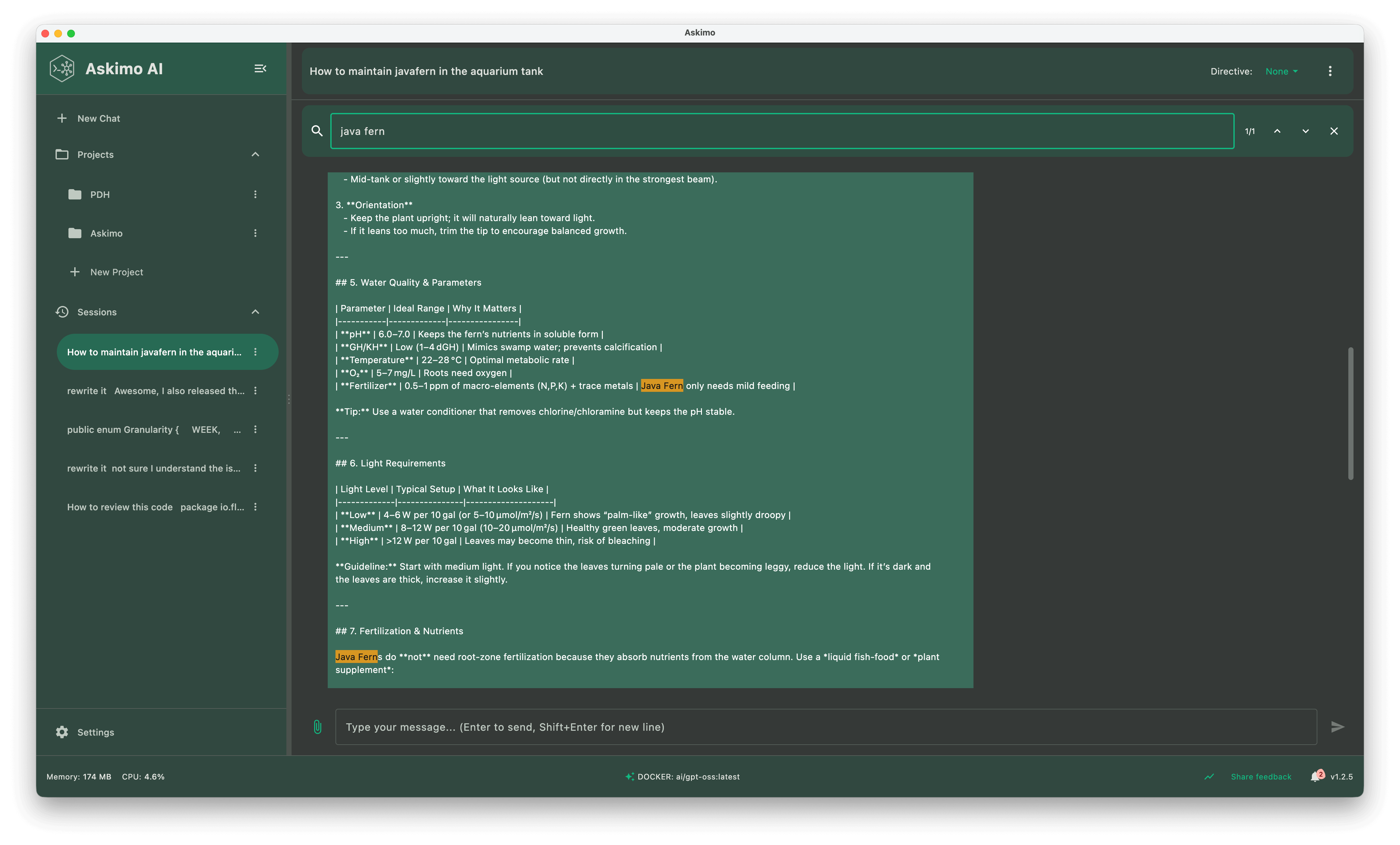
- In-chat full-text search to find any message within your conversation sessions
- Fast keyword filtering to quickly locate specific information in long chats
- Star / pin important threads for fast recall and easy access
4. Chat Thread Utilities for Docker Model Runner Sessions
- One-click export to Markdown, JSON, or HTML (clean, dev-friendly formatting)
- Shareable transcripts for docs / PRDs / specs
- Star, unstar, and reorder important sessions
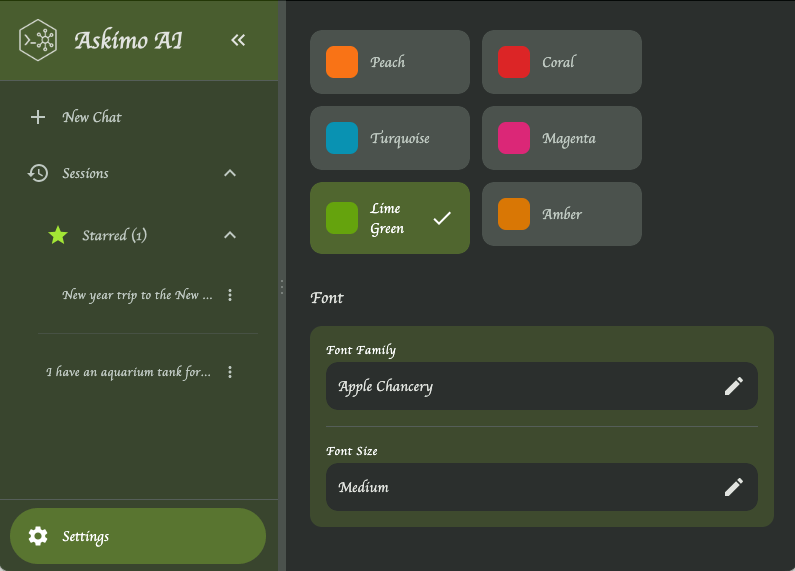
5. UI, Personalization & Accessibility
- Light & dark themes (theme switching without reload)
- Font customization (readability tuning for long sessions)
- Keyboard shortcuts for: new chat, provider switch, search focus, export
- Smooth scroll and layout stability (no jumpiness during streaming)
6. Privacy & Local-First Workflow with Docker Model Runner
- All model responses stay on your machine with Docker Model Runner
- Cloud providers only when explicitly selected
- Export stays local unless you choose to share externally
- No silent background sync or analytics on content
7. Custom Directives for Docker Model Runner Models
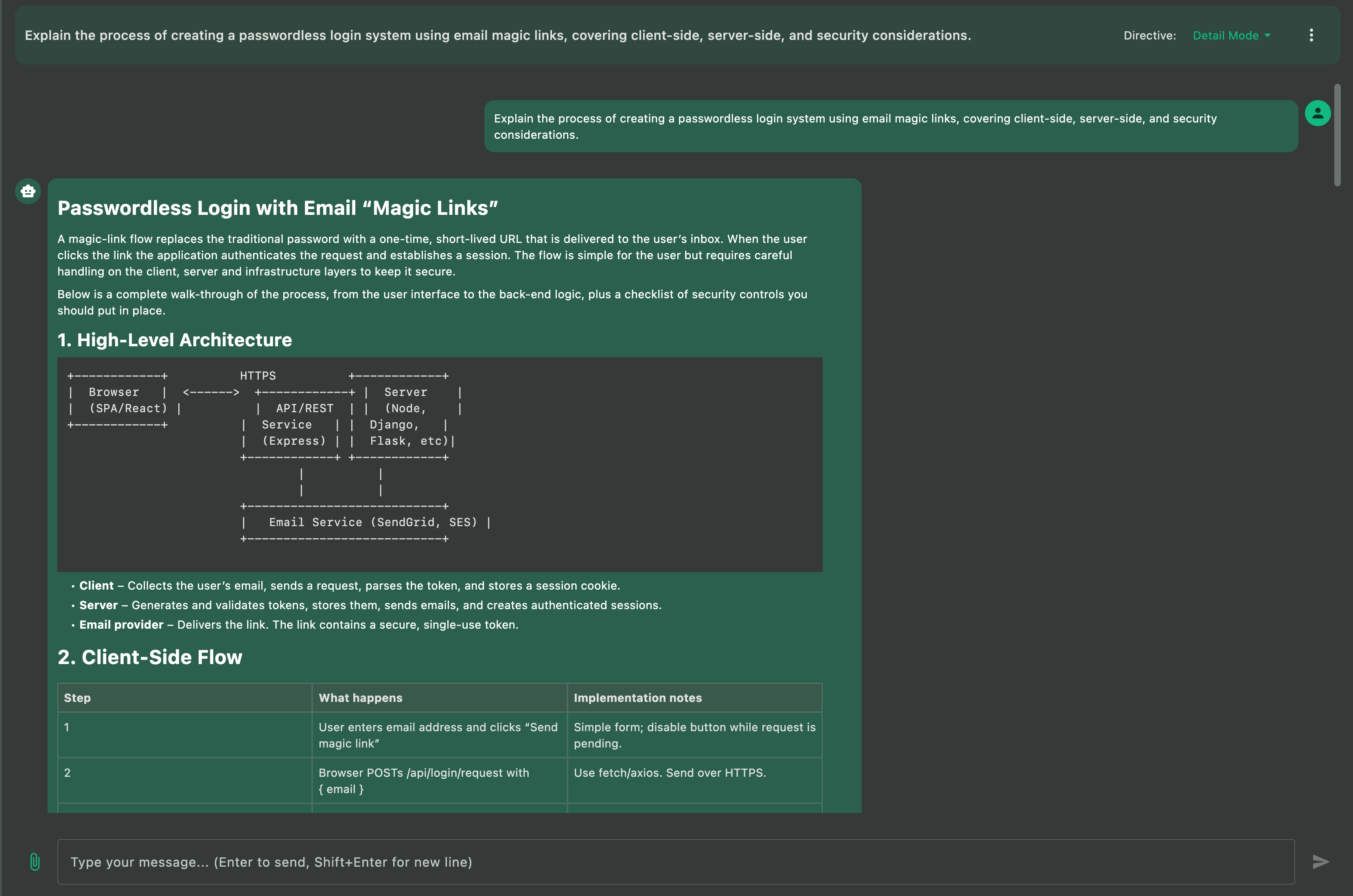
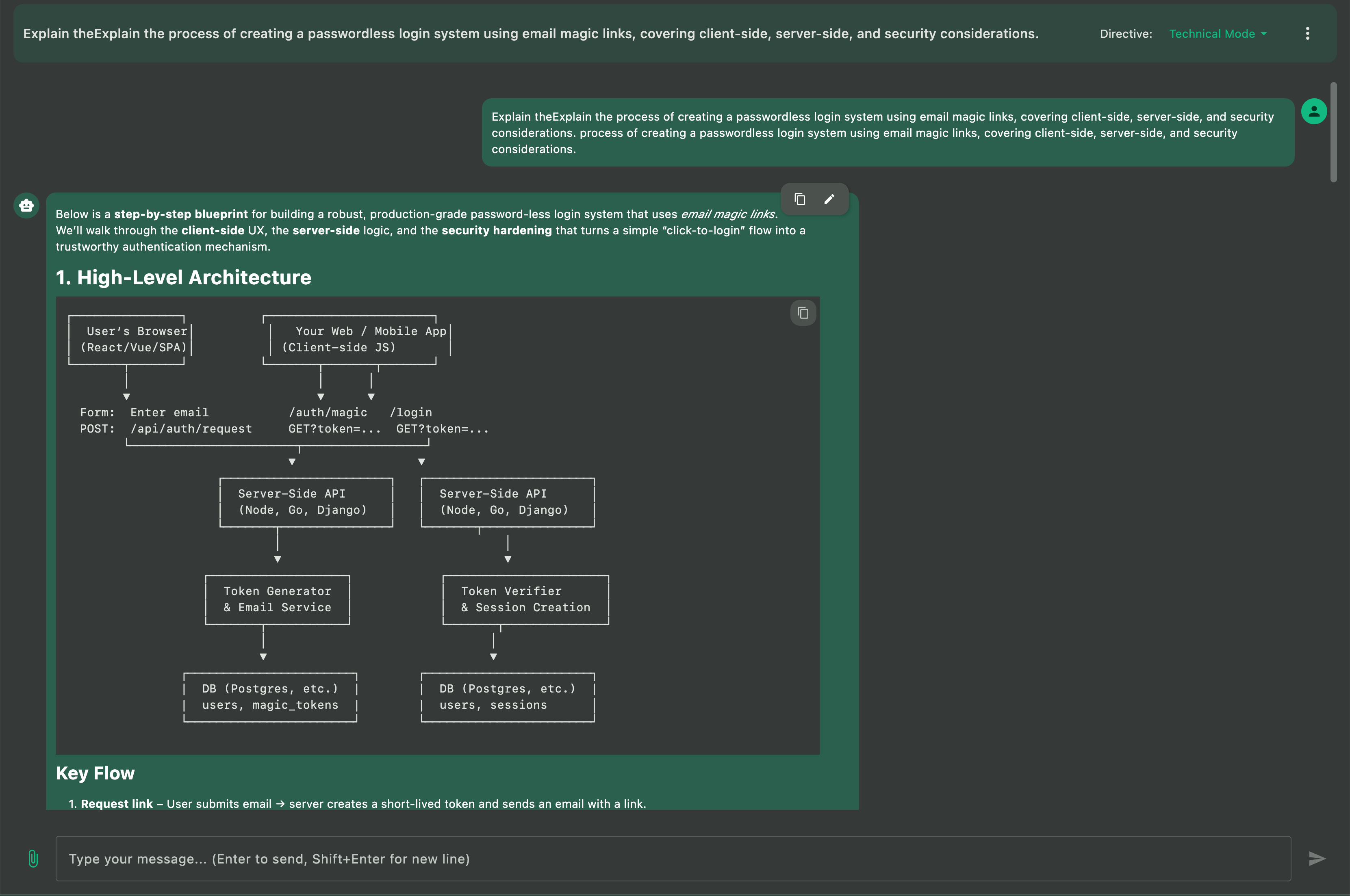
Custom Directives let you define how the AI behaves when running local models via Docker Model Runner. Instead of retyping long instructions every time you start a new chat, you set your preferences once and Askimo applies them automatically across all conversations.
-
Consistent behavior for local models Keep your Docker Model Runner chats aligned with the tone, style, and level of detail you prefer.
-
Task-specific presets for repeated workflows Create directives for coding, debugging, summarizing papers, generating documentation, or anything else you routinely do with local AI models.
-
Instant switching without prompt clutter Change directives in one click instead of pasting paragraphs of instructions into every message.
-
Optimized for long sessions with local inference Directives help local models stay focused and reduce back-and-forth noise, making long research or coding sessions smoother and more efficient.
8. Project-Aware RAG with Docker Model Runner
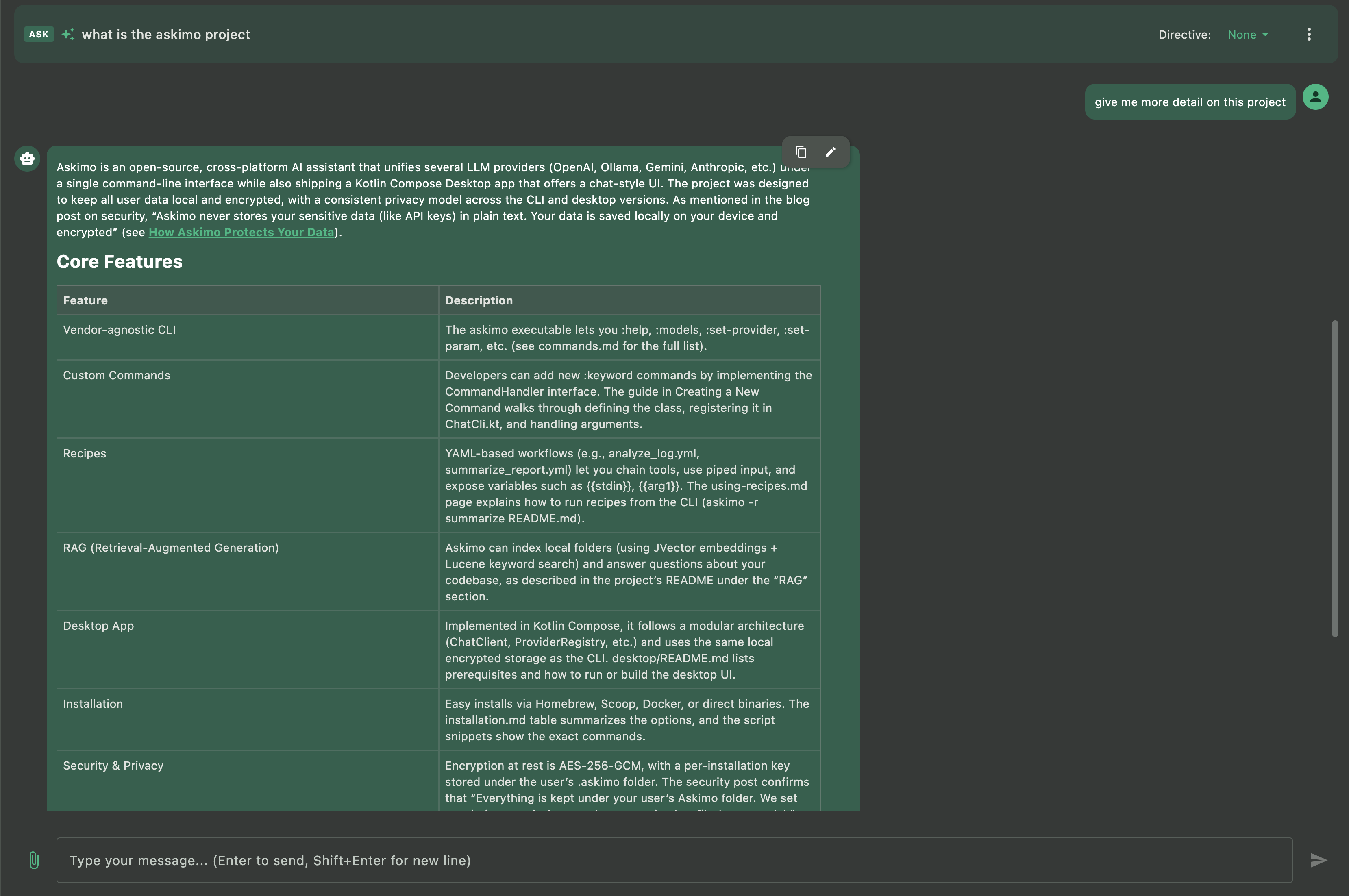
Askimo’s RAG (Retrieval-Augmented Generation) feature lets you chat with your entire project using local models via Docker Model Runner. Instead of manually copying content into prompts, Askimo automatically retrieves relevant context from your project files.
-
Context-aware conversations with your projects Ask questions about your work and get answers grounded in your actual files using local models. Works with code projects, documentation, research papers, writing projects, and more.
-
Automatic context retrieval Askimo indexes your project files and pulls relevant content into the conversation context automatically.
-
Privacy-first local RAG Your files never leave your machine when using Docker Model Runner with RAG, unlike cloud-based assistants.
-
Multi-file understanding Ask questions that span multiple files, and your local models will receive relevant context from across your entire project.
Example use cases:
- Software projects: “Explain how the authentication flow works” or “Where is the user data validated?”
- Documentation: “Summarize the key changes in the API documentation” or “What’s the installation process?”
- Research papers: “What methodology did I use in chapter 3?” or “Find all references to climate data”
- Writing projects: “What themes appear across all chapters?” or “List all character interactions with John”
- Technical specs: “What are the system requirements?” or “How does module A connect to module B?”
Features Unique to Askimo (Compared to Other Docker Model Runner Interfaces)
- Unified multiple AI models chat (Docker Model Runner + cloud providers)
- Structured organization with search, favorites, and export options
- Native desktop experience with macOS, Windows, and Linux support
- Multiple export formats (Markdown, JSON, HTML) designed for developers and research workflows
- Project-aware RAG for conversations with your projects using Docker Model Runner (your files stay private)
- Seamless extensibility through a shared CLI and Desktop architecture
Other Docker Model Runner interfaces focus mainly on providing a basic chat window. Askimo is designed for long-term productivity, structured knowledge, and fast workflows across both local and cloud models.
Common Search Questions (FAQ)
Does Docker Model Runner have an official desktop GUI?
No. Docker Model Runner provides the CLI tools to run AI models locally, but no official GUI for chat interfaces. Askimo App is a full-featured desktop client that connects to Docker Model Runner’s OpenAI-compatible endpoints.
What is a good Docker Model Runner desktop client for macOS or Windows?
Askimo offers multiple AI models switching, search, starring, export, and a polished UX designed for everyday use on both macOS and Windows with Docker Model Runner’s OpenAI-compatible endpoints.
Can I use Docker Model Runner and cloud models together?
Yes. Askimo lets you run local models via Docker Model Runner, then switch to OpenAI, Claude, or Gemini with a single click.
Is my data private when using Askimo with Docker Model Runner?
Yes. All inference happens locally on your machine with Docker Model Runner. Askimo only communicates with your local endpoints when using Docker Model Runner. Learn more about how Askimo protects your data and doesn’t collect, exchange, or store sensitive information.
Why are responses slow with Docker Model Runner?
Large models require strong hardware (CPU/GPU). Choose smaller models for faster responses, or upgrade your hardware. Also ensure your Docker container has adequate resource allocation.
How do I change models in Docker Model Runner with Askimo?
First, pull the model you want using Docker:
docker model pull mistral # Pull Mistral modeldocker model pull phi3 # Pull Phi-3 modeldocker model pull gemma # Pull Gemma modelOnce the model is downloaded, go to Askimo App and select it from the model dropdown in your provider settings. Askimo automatically detects all available models from Docker Model Runner.
For Ollama-specific model management, see our Ollama guide.
Can I run Askimo + Docker Model Runner offline?
Yes. After models are downloaded in your Docker containers, both Askimo and Docker Model Runner work entirely offline.
Can I use Askimo with my projects using Docker Model Runner?
Yes. Askimo’s RAG feature lets you chat with your entire project using local models via Docker Model Runner. Whether it’s code, documentation, research papers, or writing projects, your files are indexed locally and relevant context is automatically added to conversations, keeping everything private on your machine.
Can I run multiple Docker Model Runner instances simultaneously?
Yes. You can set up multiple providers in Askimo, each pointing to different Docker Model Runner instances on different ports. This allows you to quickly switch between different models or inference engines.
Does Docker Model Runner support custom context length settings?
No. At the time of writing, Docker Model Runner does not allow customization of context length or other model parameters. The default context length is relatively low, which can impact long conversations. For more control over model parameters and longer context windows, consider using Ollama, which provides full customization options.
Advanced Docker Model Runner Configurations
Running Multiple Models
You can run multiple Docker Model Runner instances with different models:
# Run different models on different portsdocker model run llama3 --port 11434docker model run mistral --port 11435docker model run phi3 --port 11436Then configure each as a separate provider in Askimo with different endpoints.
GPU Acceleration
Docker Model Runner automatically uses GPU acceleration when available. Ensure your Docker Desktop has GPU support enabled in settings.
For detailed configuration of Ollama containers, vLLM, GPU setup, and persistent storage, see our comprehensive Ollama guide.
Troubleshooting
Docker Model Runner not responding
Check if Docker Model Runner is running:
docker model lsIf no models are listed, start one:
docker model run llama3Endpoint unreachable
Test the endpoint:
curl http://localhost:12434/v1/modelsIf you customized the port, update Askimo’s provider settings to match.
Slow responses
- Allocate more resources to Docker Desktop (Memory & CPU in Settings)
- Use a smaller model (e.g.,
phi3instead ofllama3) - Enable GPU acceleration in Docker Desktop settings
Switching models
First, pull the model you want to use:
docker model pull mistral # Pull the model firstThen switch to it in Askimo App by selecting the model from the dropdown in your provider settings. Askimo automatically detects all available models.
Docker Desktop not running
Start Docker Desktop application before using Docker Model Runner.
For detailed troubleshooting of Ollama containers, network issues, and GPU configuration, see our Ollama troubleshooting guide.
Askimo vs Other Docker Model Runner Desktop Clients & GUIs
When evaluating Docker Model Runner desktop clients and GUI options for macOS, Windows, or Linux, here’s how Askimo compares:
Askimo App vs Web-based Docker Model Runner UIs:
- Askimo: Native desktop app with optimized performance for local AI chat
- Web UIs: Browser-based interfaces with potential performance issues
- Askimo advantage: Multi-provider support (Docker Model Runner + ChatGPT + Claude + Gemini) and project-aware RAG
Askimo vs Docker Model Runner CLI:
- Askimo: Full conversation history, search, export, RAG, and organization
- CLI: Basic container management with no chat persistence
- Askimo advantage: Professional workflow with keyboard shortcuts and themes
Askimo vs Generic AI Web UIs:
- Askimo: Lazy-loaded messages for smooth performance even with 1000+ message chats
- Web UIs: Full DOM rendering causes lag in long conversations
- Askimo advantage: Native desktop speed and resource efficiency for local models
For users running local AI models via Docker Model Runner (Llama 3, Mistral, Phi-3, or custom models), Askimo offers a comprehensive desktop experience in 2025.
Final Thoughts
Askimo brings Docker Model Runner to the desktop with speed, structure, and zero friction. Your local AI models stay private. Your conversations stay organized. And your prompts become reusable knowledge instead of throwaway commands.
Docker Model Runner makes it easy to run local AI models with simple docker model run commands, and Askimo provides the professional desktop interface that enhances your workflow with search, export, RAG, and seamless provider switching between local and cloud AI.
Whether you’re using Docker Model Runner, Ollama, or other OpenAI-compatible services, Askimo delivers a consistent, powerful desktop experience.
Try Askimo today:
- 🌐 Website: https://askimo.chat
- ⭐ GitHub: https://github.com/haiphucnguyen/askimo
For detailed Ollama setup and advanced configurations, check out our Ollama guide.
Love Askimo? Give us a star on GitHub! ⭐ It helps others discover the project and motivates us to keep improving.
Have feedback or feature requests? Open an issue on GitHub.