

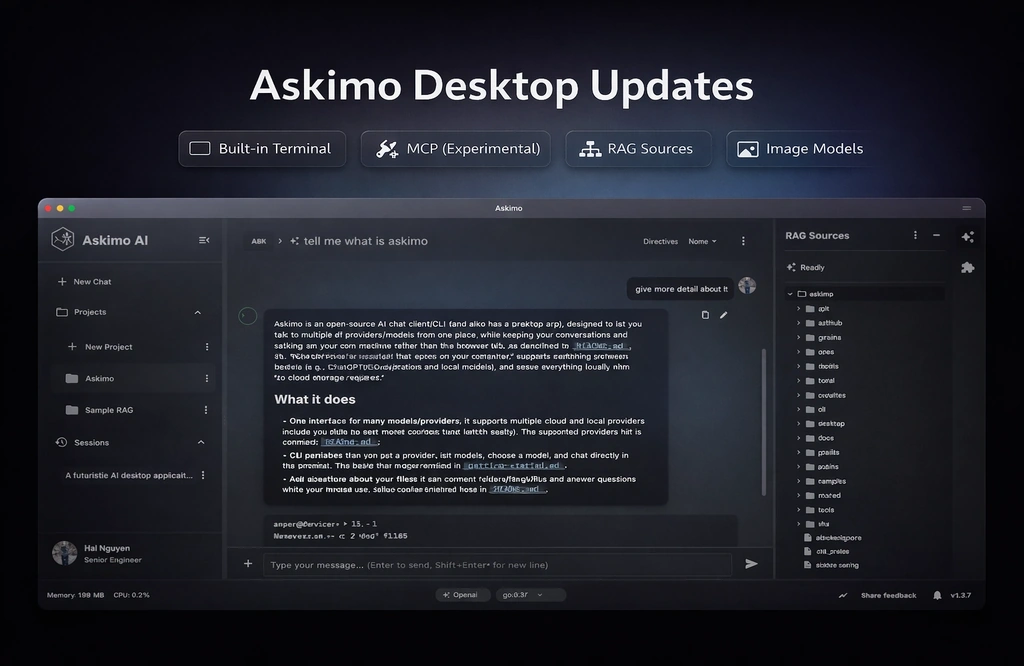
Askimo’s goal has stayed the same: make AI feel like a native part of your workflow—fast, local-first, and built for real projects (not just one-off chats).
This update is a big one. It brings five improvements that show up immediately in day-to-day use:
- Terminal emulator right inside Askimo
- MCP integration for tool-enabled workflows
- RAG sources tree for transparent, auditable context
- Image model support for multimodal inputs
- Desktop improvements across performance, UX, and reliability
If you’re new to Askimo, start here:
- Download: https://askimo.chat/download
- Docs: https://askimo.chat/docs/
- Providers setup (Gemini, OpenAI, Claude, Ollama, etc.): https://askimo.chat/docs/desktop/ai-providers/
1) Built-in Terminal Emulator
Askimo now ships with a built-in terminal emulator so you can keep “AI + code + commands” in one place.
The big idea is convenience: you can ask Askimo to generate a script or a set of commands, then run them immediately inside the app—no need to switch to your OS terminal, copy/paste, or lose workflow context.
Why it matters:
- Faster iteration: ask, run a command, paste output, refine—without app switching.
- Reproducible debugging: keep terminal output alongside the conversation thread.
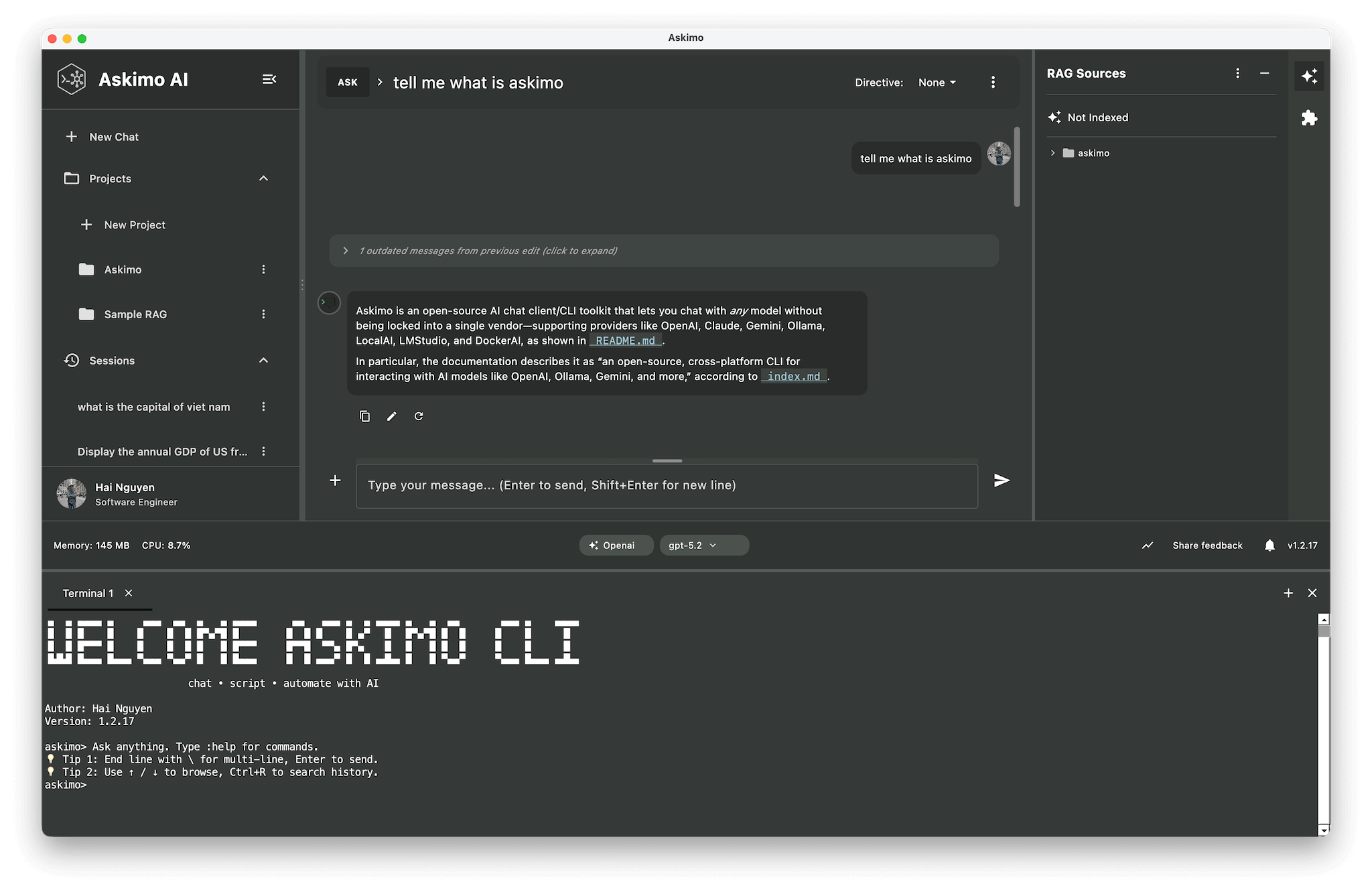
Terminal for interactive work, CLI for automation
The in-app terminal is designed for interactive, back-and-forth work.
For automation, you can install and use Askimo CLI at /cli: it’s great for recipes, scripting, and batch jobs where you want repeatable runs outside the desktop UI.
2) MCP Integration (Model Context Protocol)
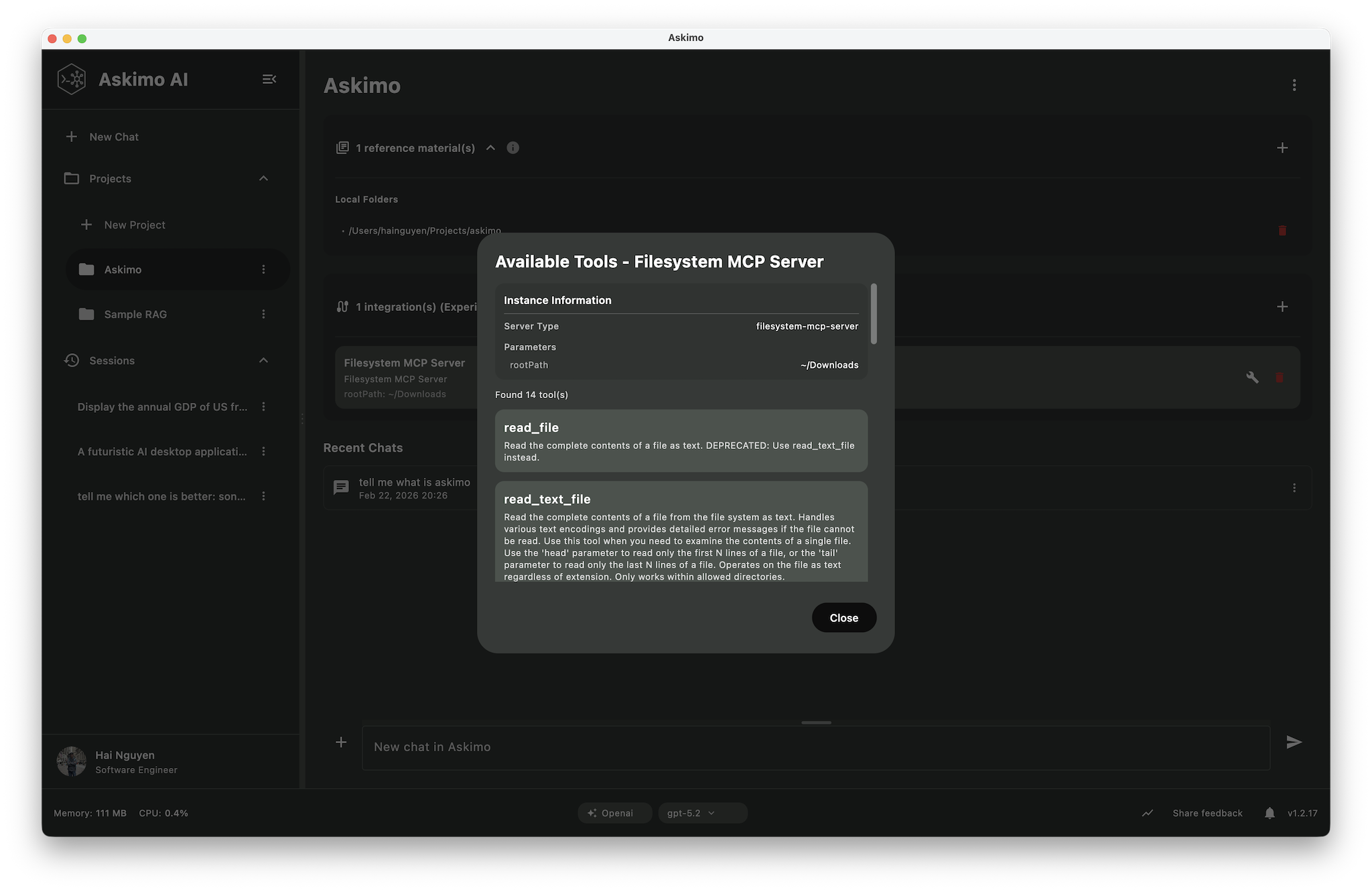
Askimo now supports MCP (Model Context Protocol) as an experimental feature. It is a standard way for AI clients to connect to external tools and data sources.
Today, Askimo supports stdio-based MCP servers only. More MCP transports and deeper integrations are coming as Askimo evolves toward a more capable AI agent workflow.
What you get:
- Tool-enabled chats: let the assistant call tools (through your configured MCP servers) when appropriate.
- No repeated setup: when a tool supports MCP, Askimo can use it through the same standard tool connection, even if you switch models.
- More automation (one step today): ask for something, let the assistant run an MCP tool, and get the result back in the same response.
Good use cases:
- Working with files, repos, tickets, or internal knowledge via MCP servers
- Running “assistants” that can fetch context + perform structured tasks
- Pairing MCP tools with RAG: retrieve relevant knowledge and act on it
MCP is one of Askimo’s key features. You can start using it today, and support will keep improving in upcoming versions.
3) RAG Sources Tree (Know What the Model Used)
RAG is most useful when it’s transparent. This update adds a RAG sources tree so you can see the context that powered a response.
That means:
- Inspectable sources: understand which files, documents, or chunks were pulled in.
- Faster trust-building: verify the assistant isn’t hallucinating by checking the evidence.
- Better prompts: when the wrong source shows up, you can refine your indexing/scope instead of guessing.
If you’re indexing a codebase or a docs folder, the sources tree becomes your “debugger” for retrieval.
4) Image Model Support (Multimodal)
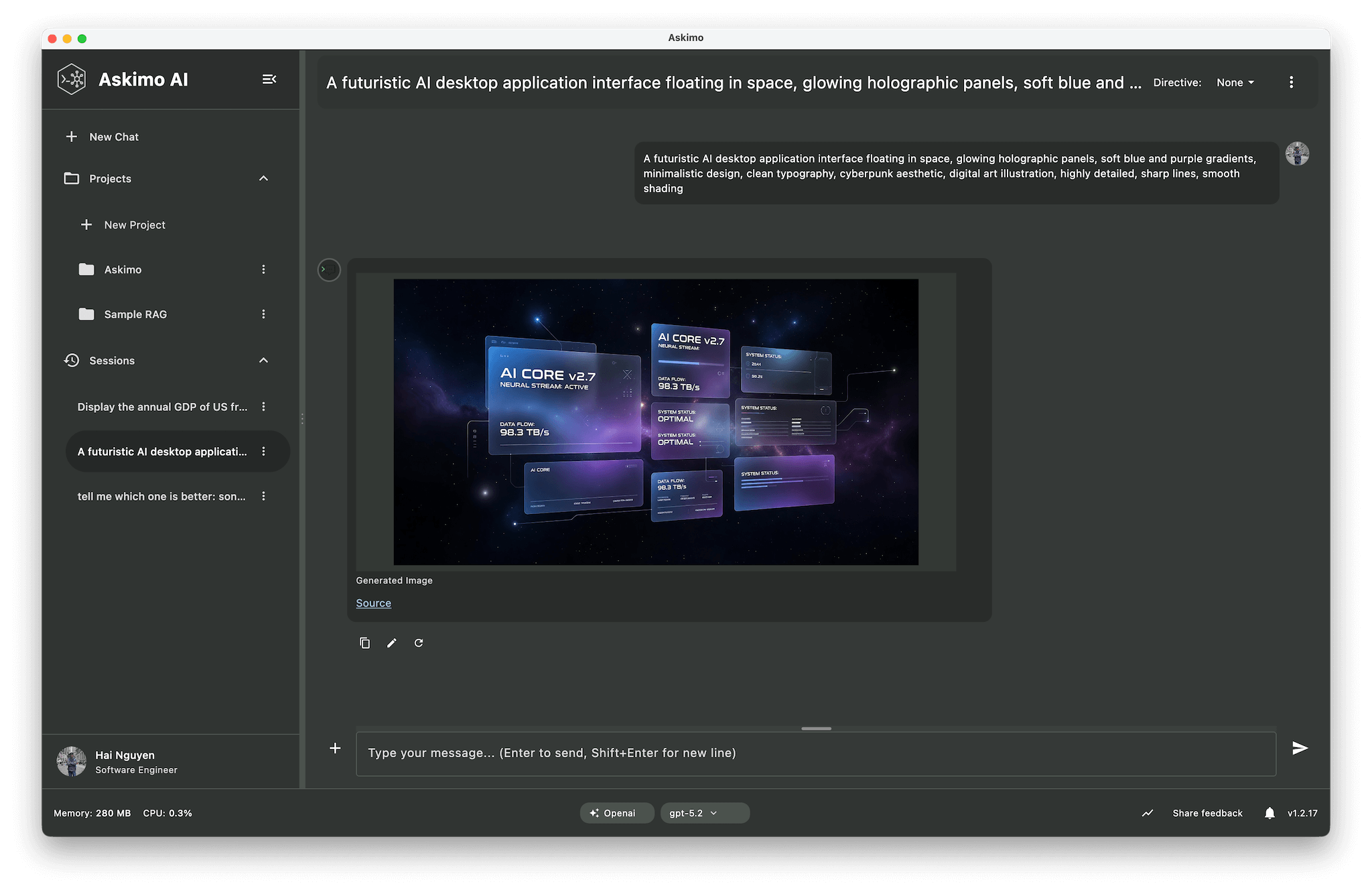
Askimo now supports image-capable models, letting you bring screenshots, UI mockups, diagrams, and photos directly into the conversation.
It is also great for creative work. You can brainstorm visual ideas and ask Askimo to help you write better prompts for image generation.
This unlocks workflows like:
- Interpreting charts/graphs and summarizing insights
- Extracting key details from images into structured text
- Brainstorming concepts, styles, and variations for a design
- Drafting prompts for image generation (and iterating on them)
It’s especially useful in cross-functional teams: you can drop in a screenshot from QA, support, or design and get a high-signal technical plan back.
5) Desktop Improvements (Performance + UX)
A bunch of improvements landed across the desktop app experience. Highlights include:
- Faster RAG updates: Askimo now reindexes only newly added or removed sources, instead of reindexing your entire project when your materials change.
- Polish across the UI: fewer paper cuts and more consistency
Final thoughts
These features all push in the same direction: less context switching, more transparency, and faster feedback loops.
If you try the update and have feedback (or want to contribute), the project is open source: