

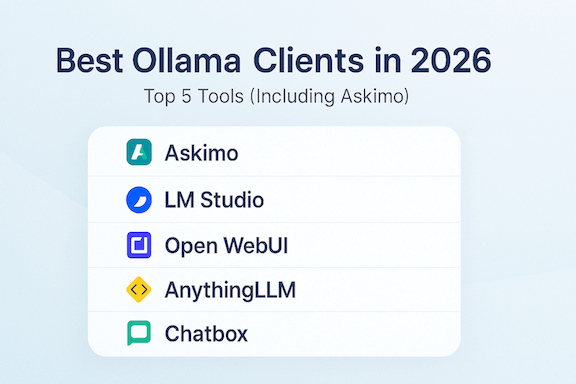
If you’re choosing an Ollama client in 2026, you likely care about speed, privacy, and a smooth workflow across local and cloud models. Below are five of the most popular clients—each excellent in their own way—with an honest look at what they do well and when to pick them.
Looking for a detailed GUI comparison? Check out our guide: Best GUI for Ollama in 2026 for an in-depth analysis of desktop interfaces.
This list includes: Askimo App, LM Studio, Open WebUI, AnythingLLM, and Chatbox. All support Ollama in different capacities and are actively maintained by vibrant communities.
Why a dedicated client for Ollama?
- Local-first privacy: run models on your machine, with no data leaving unless you choose
- Better UX: searchable history, favorites, exports, and structured workflows
- Model management: quick switching across local and cloud providers
- Performance: long chats without lag when the client handles history efficiently
1. Askimo App (Young, Fast, Native)
- Website: https://askimo.chat
- GitHub: https://github.com/haiphucnguyen/askimo
Askimo is a young project born from real user pain points:
- Multiple providers in one place: some providers are better at consulting, some at coding; you may want local AI for privacy. Askimo lets you leverage each provider’s strengths without friction.
- Web UIs can lag or crash on very long chats: many web-based clients render entire conversations in the browser, consuming heavy memory. Askimo saves very old messages in a database and loads them on demand, so large chats stay smooth and your tabs don’t crash.
- Custom directives per chat: tailor responses—formal, professional, casual, creative, or concise—without pasting long prompts every time.
What stands out:
- Cross-platform: macOS, Windows, Linux
- Native desktop (not a web wrapper) → fast UI and lower memory use
- Model management: switch quickly across Ollama and cloud providers (OpenAI, Claude, Gemini, X.AI, Docker AI)
- RAG support: index your project files and documents with built-in Lucene + jvector for context-aware AI responses — see our full RAG guide
- Cross-platform search: search across conversations from all AI providers (Ollama, OpenAI, Claude, etc.) in one unified interface—no more jumping between different chat histories
- Chart rendering: visualize data with built-in chart support (bar, line, pie, scatter plots)—perfect for analyzing financial data, research metrics, and statistical insights
- URL crawling: fetch and analyze web content directly in conversations—great for financial analysis (company reports, market data) and research (papers, documentation, datasets)
- Chat UX: searchable history, favorites, Markdown export, keyboard shortcuts
- Extensibility: shared foundations with the Askimo CLI for automation
- Privacy/local-first: local inference via Ollama stays on device
- Localization: multi-language UI support
Best for: power users, developers, financial analysts, and research scientists who want a fast, native desktop client with multiple AI models workflows, RAG-powered project knowledge, data visualization capabilities, and robust chat organization.
2. LM Studio
- Website: https://lmstudio.ai
- GitHub: https://github.com/lmstudio-ai
LM Studio is a polished desktop app that excels at local model discovery and management. It offers an integrated catalog, easy downloads, and a friendly chat interface. Many users route inference through Ollama or run models directly through LM Studio, depending on needs.
Highlights:
- Cross-platform installers
- Local model catalog and management
- Prompt/chat UX with developer-friendly tooling
Best for: users who want a streamlined model management experience with a good desktop UX.
3. Open WebUI
- Website: https://openwebui.com
- GitHub: https://github.com/open-webui/open-webui
Open WebUI is a popular self-hosted web interface for Ollama. It focuses on multi-user features, extensions, and workflows. Teams love it for its configurability and community-driven ecosystem.
Highlights:
- Self-hosted web UI for Ollama
- Extensions and workflow support
- Team-friendly and fast iteration
Best for: small teams or tinkerers who prefer a browser-based, extensible interface.
4. AnythingLLM
- Website: https://anythingllm.com
- GitHub: https://github.com/Mintplex-Labs/anything-llm
AnythingLLM can run as a desktop or server app. It focuses on chat, embeddings, and document ingestion, and integrates with Ollama for local inference. It’s a great fit for building lightweight RAG workflows.
Highlights:
- Desktop/server hybrid
- Document ingestion and embeddings
- Integrates smoothly with Ollama
Best for: users prioritizing RAG and knowledge-base features with local inference.
5. Chatbox
- Website: https://chatboxai.app
- GitHub: https://github.com/Bin-Huang/chatbox
Chatbox is a lightweight, cross-platform desktop chat client that supports local APIs including Ollama. It focuses on a simple, clean chat experience with easy provider configuration.
Highlights:
- Cross-platform desktop app
- Connect to local APIs like Ollama
- Minimal, fast chat UI
Best for: users who want a simple, fast chat interface with local provider support.
Comparison at a glance
- Speed and performance on long chats: Askimo (native, virtualized history)
- Model management depth: LM Studio, Askimo
- Team/collab features: Open WebUI
- RAG workflows: Askimo (Lucene + jvector for project indexing), AnythingLLM (document ingestion + embeddings)
- Cross-platform unified search: Askimo (search across all providers in one interface)
- Data visualization and charts: Askimo (built-in chart rendering)
- Web content analysis: Askimo (URL crawling for research and financial analysis)
- Lightweight desktop chat: Chatbox
- Local-first privacy across all tools when using Ollama
Choosing the right client
- Prefer a native, fast UX with multiple AI models switching and RAG → Pick Askimo
- Need data visualization, charts, and financial analysis tools → Pick Askimo
- Researching papers, analyzing web content, or tracking market data → Pick Askimo
- Want unified search across all AI providers → Pick Askimo
- Want a strong model catalog and downloads → Pick LM Studio
- Need a self-hosted UI with extensions/workflows → Pick Open WebUI
- Building a RAG pipeline or KB with local inference → Pick Askimo or AnythingLLM (see our RAG with Ollama guide)
- Want a minimal desktop chat focused on speed → Pick Chatbox
You can also mix and match: run Ollama locally and try multiple clients to see which fits your workflow.
Getting started with Askimo + Ollama
- Install Ollama (macOS/Windows/Linux): https://ollama.com
- Download Askimo App: https://askimo.chat
- In Askimo, set provider to Ollama and endpoint to
http://localhost:11434 - Choose a model (e.g.,
llama3,mistral,phi3,gemma) and start chatting.
Askimo supports both local and cloud providers, so you can switch providers mid-session to leverage each one’s strengths.
Final Thoughts
The best Ollama client is the one that fits your workflow. If you value speed, multiple AI models support, structured chat history, and privacy, Askimo is a compelling choice—especially if long conversations have ever slowed down or crashed your browser.
For financial analysts and research scientists, Askimo’s unique combination of features makes it particularly powerful: cross-platform search lets you find insights across all your AI conversations, chart rendering visualizes financial data and research metrics directly in chat, and URL crawling enables real-time analysis of market reports, company filings, research papers, and datasets without leaving the application.
Want more details on choosing the right GUI? Read our comprehensive guide: Best GUI for Ollama in 2026
Want to contribute or follow development? Star Askimo on GitHub: