

Introduction
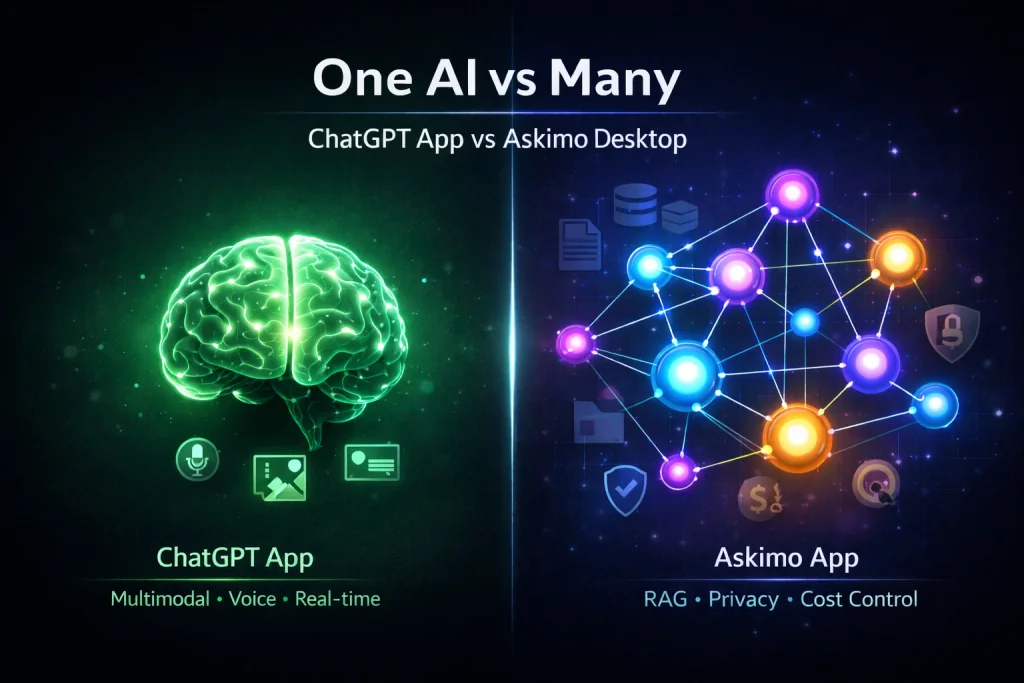
You’ve probably noticed there are more AI desktop apps than ever. OpenAI launched ChatGPT Desktop with its signature simplicity and multimodal features. Askimo takes a different approach—connecting to multiple AI providers in one place.
Which one actually fits your workflow? That depends on what you’re trying to accomplish.
If you want a single, polished experience with voice and image generation built in, ChatGPT Desktop delivers exactly that. If you’d rather compare responses from different AI models, work offline with local models, or keep everything private on your machine, Askimo might be worth exploring.
Let’s walk through what each tool offers, where they excel, and which scenarios favor one over the other.
Quick Comparison Table
| Feature | ChatGPT Desktop | Askimo |
|---|---|---|
| Supported AI Providers | OpenAI only | ChatGPT, Claude, Gemini, Ollama, X AI, LM Studio, LocalAI, Docker AI (8+) |
| Voice Interaction | ✅ Yes (Advanced Voice Mode) | ❌ No |
| Image Generation | ✅ Yes (DALL-E with ChatGPT Plus) | ❌ No |
| Local Model Support | ❌ No | ✅ Yes (Ollama, LocalAI, LM Studio, Docker AI) |
| Offline Access | ❌ No (requires internet) | ✅ Yes (with local models) |
| RAG/Project Knowledge | Limited (file uploads per chat, memory) | ✅ Yes (Automatic project indexing with Lucene) |
| Conversation Search | Basic search | Advanced full-text search across all providers |
| File Attachments | ✅ Yes (images, documents) | ✅ Yes (PDFs, MS Office, OpenOffice, emails, text files for RAG) |
| API Key Storage | Managed by OpenAI | Local encrypted storage |
| Custom Directives | ✅ Yes | ✅ Yes (reusable prompt templates) |
| Export Conversations | Limited | ✅ Full export support |
| Pricing | Free tier / $20/month (Plus) | Free & Open Source + API costs |
| Platforms | macOS, Windows | macOS, Windows, Linux |
| Privacy | Cloud-based (OpenAI servers) | Local-first (your machine) |
What is ChatGPT Desktop?
ChatGPT Desktop is OpenAI’s official desktop application, launched in 2024. It provides native access to all OpenAI models including GPT-4o, GPT-4, o1, and o3-mini.
Key Features of ChatGPT Desktop:
- Official OpenAI support: Direct integration with your OpenAI account
- Advanced Voice Mode: Natural voice conversations with AI
- Seamless model switching: Switch between GPT models within OpenAI’s ecosystem
- File uploads: Attach images and documents to conversations
- Custom instructions: Set default behavior for all conversations
- macOS/Windows integration: Native keyboard shortcuts and system integration
Works well for: Users who prefer working within OpenAI’s ecosystem and value multimodal AI capabilities (voice interaction, DALL-E image generation, and vision analysis all integrated in one app).
What is Askimo?
Askimo is a free and open-source all-in-one AI chat client that connects to 8 AI providers in one desktop application: OpenAI (ChatGPT), Anthropic (Claude), Google (Gemini), X AI (Grok), Ollama, LM Studio, LocalAI, and Docker AI. It focuses on flexibility, privacy, and local-first storage.
Key Features of Askimo:
- Multiple AI models support: Use OpenAI, Claude, Gemini, X AI, Ollama, LM Studio, LocalAI, and Docker AI in one app
- Provider switching mid-conversation: Compare AI responses without opening multiple apps
- Local model support: Run Ollama, LM Studio, LocalAI, or Docker AI completely offline
- RAG (Retrieval-Augmented Generation): Index your documents and codebase for context-aware AI responses
- Privacy-first architecture: All conversations and API keys stored locally on your machine
- Advanced search: Full-text search across all conversations and providers
- Export & backup: Export conversations for documentation and archival
- Cross-platform: Works on macOS, Windows, and Linux
Works well for: Users who value flexibility across multiple AI providers, need local model support, or prioritize privacy and control.
Feature-by-Feature Comparison
1. AI Provider Support
ChatGPT Desktop: ⭐⭐⭐⭐⭐ (for OpenAI users)
- Single provider: OpenAI only
- Access to all OpenAI models (GPT-4o, GPT-4, o1, o3-mini)
- Seamless switching between OpenAI models
- ❌ Cannot use Claude, Gemini, or other providers
- ❌ No local model support
Askimo: ⭐⭐⭐⭐⭐ (for multiple AI models users)
- 8+ AI providers in one app: OpenAI, Anthropic (Claude), Google (Gemini), X AI, Ollama, LM Studio, LocalAI, Docker AI
- Switch between any provider mid-conversation
- Compare responses from different AI models side-by-side
- Cost optimization: Use expensive models for complex tasks, cheaper models for simple questions
- ✅ Use cloud AI when online, local AI when offline
- ✅ Save money by matching model cost to task complexity
Consider:
- ChatGPT Desktop if you’re comfortable staying within OpenAI’s ecosystem
- Askimo if you’re curious about comparing different AI models or want to use local models for privacy/cost reasons
2. Multimodal Capabilities (Image Generation, Voice, Vision)
ChatGPT Desktop: ⭐⭐⭐⭐⭐ (complete multimodal AI)
- ✅ DALL-E image generation (with ChatGPT Plus)
- Create graphics, illustrations, logos from text prompts
- Generate social media images and marketing materials
- Create variations of existing images
- Iterate on designs with variations and refinements
- Edit and refine AI-generated images
- ✅ Advanced Voice Mode
- Natural voice conversations
- Interruption support (speak while AI is talking)
- Multiple voice options
- Great for hands-free brainstorming
- ✅ Vision capabilities
- Analyze images and screenshots
- Extract text from images (OCR)
- Describe and interpret visual content
- ✅ Seamless multimodal workflow
- Text, voice, and images in one conversation
- Switch between modalities naturally
Askimo: ⭐ (document-based chat, text-focused)
- ✅ File attachments (PDFs, Microsoft Office, OpenOffice, emails, text files for RAG indexing)
- ✅ Document text extraction (extracts text from PDFs, Word, Excel, PowerPoint, OpenOffice formats)
- ❌ No image generation (no DALL-E, Midjourney, or Stable Diffusion integration)
- ❌ No image analysis/vision (cannot read or analyze image files)
- ❌ No voice input/output (text-based chat only)
- ❌ No audio generation
What this means:
- ChatGPT Desktop is a true multimodal AI assistant (text, voice, image generation, vision all integrated)
- Askimo focuses on text-based chat and document processing (PDFs, Office files, emails), without image or voice capabilities
Note: If you need to generate images (DALL-E for graphics, social media content, illustrations), use voice interaction, or analyze images in your workflow, ChatGPT Desktop’s integrated multimodal features offer a complete solution. If you’re focused on text-based workflows with document processing and RAG, Askimo’s approach may suit your needs.
3. Privacy & Data Storage
ChatGPT Desktop: ⭐⭐⭐ (cloud-based)
- Conversations synced to OpenAI servers
- Subject to OpenAI’s privacy policy
- Convenient for multi-device sync
- Data used for potential model improvements (can opt-out)
Askimo: ⭐⭐⭐⭐⭐ (local-first)
- All conversations stored on your machine
- API keys encrypted locally (AES-256 or macOS Keychain)
- No cloud sync, no tracking, no data sharing
- Complete offline mode with local models
- You control your data 100%
Consider: The trade-off here is between convenience (cloud sync across devices) and privacy (complete local control). Your choice depends on whether you prioritize accessibility or data sovereignty.
4. RAG & Project Knowledge
ChatGPT Desktop: ⭐⭐ (limited context per conversation)
- ✅ Upload files per conversation (images, PDFs, documents, code files)
- ✅ Memory feature remembers context across conversations
- ✅ Custom instructions for default behavior
- ❌ Cannot automatically index entire projects or codebases
- ❌ No CLI integration for automated file indexing
- ❌ Files must be manually uploaded for each new conversation
- ❌ No
.gitignoreawareness or project-level file management - ❌ No full-text search across your local knowledge base
What this means: You can attach files to individual chats, but there’s no automatic project indexing. If you want AI to understand your entire codebase or document collection, you need to manually upload relevant files every time you start a new conversation.
Askimo: ⭐⭐⭐⭐⭐ (full automatic project indexing)
- ✅ Automatic project/codebase indexing (one-time setup)
- ✅ Lucene-powered full-text search across all indexed files
- ✅ Index entire projects with support for:
- Code files: All programming languages (Java, Python, JavaScript, etc.)
- Documents: PDFs with text extraction
- Microsoft Office: Word (.doc, .docx), Excel (.xls, .xlsx), PowerPoint (.ppt, .pptx)
- OpenOffice: Writer (.odt), Calc (.ods), Impress (.odp)
- Email files: .eml, .msg formats
- Text files: Markdown, plain text, configuration files, etc.
- ✅ Respects
.gitignorefor development projects - ✅ Automatic exclusion of binary files and common build folders (including images)
- ✅ CLI + Desktop integration for developer workflows
- ✅ Index once, use context across all conversations automatically
- ✅ Context-aware responses from your entire document knowledge base
- ❌ Does NOT index or process image files
What this means: Point Askimo at your project folder once, and it automatically indexes all supported document formats and code files. Every conversation in that project has access to your entire codebase or document collection without manual uploads. Image files are automatically excluded.
Consider: If you work with a few files at a time and don’t mind uploading them per conversation, ChatGPT Desktop’s approach works fine. If you have large codebases or document collections that you reference frequently, Askimo’s automatic indexing might save you significant time.
5. File Attachments
ChatGPT Desktop: ⭐⭐⭐⭐
- Upload images, PDFs, and documents
- Vision models can analyze images
- Good file processing capabilities
Askimo: ⭐⭐⭐⭐
- Support for PDFs, Microsoft Office (Word, Excel, PowerPoint), OpenOffice documents, email files, code files, text files
- File attachments in RAG-enabled conversations for document indexing
- Extracts text content from all supported document formats
- ❌ Does NOT support image files (no image upload or analysis)
- Focus on document processing and text extraction
Note: ChatGPT Desktop supports image files and vision analysis, while Askimo focuses on document formats (PDFs, Office files) for text extraction and RAG indexing.
6. Conversation Management
ChatGPT Desktop: ⭐⭐⭐
- Basic folder structure
- Search within conversations
- Cloud sync across devices
- Limited export options
- Edit messages after sending
Askimo: ⭐⭐⭐⭐⭐
- Advanced full-text search across all providers
- Star/favorite important conversations
- Project-based session organization
- Full conversation export (markdown, JSON)
- Local archival and backup
Note: ChatGPT Desktop offers simplicity with cloud sync and message editing, while Askimo provides more advanced organization tools and export options for users who need detailed conversation management across multiple AI providers.
7. Pricing & Cost
ChatGPT Desktop:
- Free tier: GPT-3.5 and limited GPT-4o access
- ChatGPT Plus: $20/month for full GPT-4, GPT-4o, o1 access
- ChatGPT Team: $25/user/month (team features)
- Annual cost: $0 (free) or $240/year (Plus)
- Fixed pricing regardless of usage
Askimo:
- Desktop app: Free & Open Source (AGPLv3 license)
- Smart cost optimization: Choose the right model for each task
- Simple questions (grammar checks, basic summaries): Use GPT-3.5 (~$0.0015/1K tokens) or free Ollama models
- Standard tasks (writing, code reviews): Use GPT-4o-mini (
$0.15/1M tokens) or Claude Haiku ($0.25/1M tokens) - Complex work (architectural decisions, deep analysis): Use GPT-4o (
$2.50/1M tokens) or Claude Opus ($15/1M tokens)
- API costs: Bring your own API keys, pay-per-use
- OpenAI API: $0.0015-$30 per 1M tokens (depends on model)
- Claude API: $0.25-$15 per 1M tokens (depends on model)
- Gemini: Free tier available, then $0.075-$1.25 per 1M tokens
- Ollama/LocalAI: Completely free (local models)
- No recurring subscription
Real-world cost optimization example:
Imagine you’re working on a project:
- Brainstorming (500K tokens): Use free Ollama Llama 3.1 = $0
- Code review (1M tokens): Use GPT-4o-mini = $0.15
- Architecture decisions (200K tokens): Use Claude Opus = $3.00
- Documentation writing (800K tokens): Use Claude Haiku = $0.20 Total monthly cost: ~$3.35 vs $20 ChatGPT Plus
Example cost comparison (moderate use, ~2M tokens/month mixed tasks):
- ChatGPT Plus: $20/month fixed (single model tier)
- Askimo with smart model selection: ~$5-10/month (use cheap models for simple tasks, premium models only when needed)
- Askimo with Ollama for 80% of tasks: ~$1-3/month (free local models + occasional cloud API)
Consider:
- ChatGPT Desktop if you prefer predictable costs and use premium OpenAI models heavily
- Askimo if you want granular cost control and can benefit from mixing free local models with occasional premium API calls
8. Platform Support
ChatGPT Desktop: ⭐⭐⭐⭐
- macOS: ✅ Full support
- Windows: ✅ Full support
- Linux: ❌ Not officially supported
Askimo: ⭐⭐⭐⭐⭐
- macOS: ✅ Native app (notarized)
- Windows: ✅ Native app (MSI installer)
- Linux: ✅ Native app (Debian package + JAR)
Real-World Use Cases
Scenario 1: Marketing Professional Writing Content
With ChatGPT Desktop:
- Open ChatGPT Desktop
- Ask GPT-4o to draft blog post
- Use Voice Mode for brainstorming while walking
- Generate hero images with DALL-E for the blog post
- Iterate with follow-up questions using voice or text
- Edit and refine generated images within the same conversation
With Askimo:
- Open Askimo
- Ask GPT-4o to draft blog post
- Switch to Claude for a different writing style
- Compare both outputs side-by-side
- Use Gemini for fact-checking
- Save winning prompts as reusable templates (e.g., “SEO blog intro”, “social media caption”, “email newsletter”)
- Apply saved templates instantly to future content with one click
- (Need separate tool for image generation)
Consider:
- ChatGPT Desktop if you love voice interaction and need image generation (all-in-one multimodal workflow)
- Askimo if you want to compare different AI writing styles, build a library of reusable prompts for different content types, and don’t need image generation
Scenario 2: Developer Building an App
With ChatGPT Desktop:
- Ask ChatGPT for code help
- Manually upload relevant code files to each new conversation
- Get OpenAI’s perspective on uploaded files
- Re-upload files if you start a new chat about the same project
- Copy/paste code back to editor
With Askimo:
- Create a project in Askimo
- Index entire codebase with RAG (one-time setup)
- Ask questions with full project context automatically
- Switch between ChatGPT, Claude, and local models
- Compare architectural suggestions from different AI models
- Save code review templates (e.g., “security audit”, “performance optimization”, “code style check”, “API design review”)
- Apply templates with one click for consistent code reviews
- Use CLI for automated code review with saved templates
- Work offline with Ollama when needed
- No need to re-upload files for new conversations
Consider: If you frequently reference large codebases or work with the same project files across multiple conversations, Askimo’s automatic RAG indexing and multiple AI models comparison could be helpful. If you prefer simplicity and work with smaller file sets, ChatGPT Desktop’s manual upload approach may be sufficient.
Scenario 3: Privacy-Sensitive Work (Legal, Healthcare, Finance)
With ChatGPT Desktop:
- All conversations sent to OpenAI servers
- Subject to OpenAI’s data retention policies
- Cannot work completely offline
- Data may be used for model training (unless opted out)
With Askimo:
- Run completely offline with Ollama
- All data stored locally on your machine
- Encrypted API key storage
- No cloud sync or tracking
- Full control over data retention
Consider: If complete data privacy and offline capabilities are critical for your work (legal, healthcare, finance), Askimo’s local-first architecture offers these guarantees. If you’re comfortable with cloud storage and trust OpenAI’s data policies, ChatGPT Desktop’s approach may work for you.
Scenario 4: Research & Information Gathering
With ChatGPT Desktop:
- Ask research questions to GPT-4o
- Upload research papers manually to each conversation
- Use Voice Mode for verbal note-taking
- Search through past conversations
- Limited to OpenAI’s knowledge cutoff + manually uploaded files
With Askimo:
- Ask same question to multiple AI models
- Compare different perspectives (ChatGPT, Claude, Gemini)
- Index entire research paper collection with RAG (one-time setup)
- Get answers grounded in your entire document library automatically
- Advanced full-text search across all conversations and indexed documents
- Export conversations for citations and documentation
Better choice:
- ChatGPT Desktop if you prefer voice interaction and work with a few files at a time
- Askimo if you need to search across large document collections and want multi-source AI perspectives
Scenario 5: Cost-Conscious User with Mixed Workload
With ChatGPT Desktop:
- Pay $20/month regardless of usage
- All tasks use the same tier of models
- Simple grammar checks cost the same as complex analysis
- Cannot use free local models
With Askimo - Smart Cost Optimization:
Morning routine:
- Check emails, fix grammar → Use free Ollama Llama 3.1 (0 cost)
- Summarize meeting notes → Use GPT-4o-mini ($0.15/1M tokens)
- Quick code snippet → Use Claude Haiku ($0.25/1M tokens)
Afternoon deep work: 4. Architecture review → Use Claude Opus ($15/1M tokens) - only for critical decisions 5. Research competitive analysis → Use GPT-4o ($2.50/1M tokens)
Evening tasks: 6. Draft blog outline → Use free Ollama Mistral (0 cost) 7. Translate content → Use Gemini (free tier)
Monthly breakdown:
- 70% of tasks: Free local models = $0
- 25% of tasks: Cheap cloud models (mini/haiku) = $2-4
- 5% of tasks: Premium models (Opus/GPT-4o) = $1-3 Total: ~$3-7/month vs $20 ChatGPT Plus
Team Cost Scaling:
While the individual savings ($13-17/month) may seem modest, costs multiply significantly for teams:
Team of 5:
- ChatGPT Plus: 5 × $20 = $100/month ($1,200/year)
- Askimo with smart model selection: 5 × $5 (avg) = $25/month ($300/year)
- Savings: $75/month or $900/year
Team of 10:
- ChatGPT Plus: 10 × $20 = $200/month ($2,400/year)
- Askimo with smart model selection: 10 × $5 (avg) = $50/month ($600/year)
- Savings: $150/month or $1,800/year
Team of 20 (small company):
- ChatGPT Plus: 20 × $20 = $400/month ($4,800/year)
- Askimo with smart model selection: 20 × $5 (avg) = $100/month ($1,200/year)
- Savings: $300/month or $3,600/year
Additional team benefits with Askimo:
- ✅ Shared API keys across team members (one OpenAI/Claude account for the team)
- ✅ Pay only for actual usage (not per-seat licensing)
- ✅ No unused seats: ChatGPT Plus charges $20/month even for inactive team members
- ✅ Flexibility: Teams can mix free local models (Ollama) with paid APIs based on project needs
Consider: For individual users, the $13-17/month difference may not be significant. However, for teams and organizations, the cost savings become substantial. A 10-person team could save $1,800/year by using Askimo with smart model selection instead of ChatGPT Plus subscriptions for everyone. If you prefer simplicity with predictable monthly costs, ChatGPT Plus’s fixed pricing might be more convenient.
Scenario 6: Creative/Design Work
With ChatGPT Desktop:
- Brainstorm design concepts with GPT-4o
- Generate hero images with DALL-E (text → image)
- Ask for variations and refinements
- Edit generated images within the conversation
- Create social media graphics with AI
- Use Voice Mode to describe visual ideas while multitasking
- All-in-one creative workflow (text + voice + image generation)
With Askimo:
- Brainstorm design concepts with GPT-4o
- Get different creative perspectives by switching to Claude or Gemini
- Compare design suggestions from multiple AI models
- (Need separate tool like Midjourney/DALL-E for image generation)
- Cannot generate images within Askimo
- Text-based workflow only
Note: For creative workflows requiring image generation, ChatGPT Desktop’s integrated DALL-E and multimodal features offer a complete solution. If your creative work focuses on text (copywriting, brainstorming concepts) and you want to compare perspectives from different AI models, Askimo’s all-in-one AI approach could be useful.
Scenario 7: Content Operations at Scale
With ChatGPT Desktop:
- Set custom instructions once for brand voice and tone
- All conversations follow those instructions
- Manually copy/paste effective prompts for reuse across different content types
- Limited to OpenAI’s perspective
- Need to remember which prompts work best for which content type
With Askimo:
- Create multiple reusable prompt templates for different content types:
- “Product launch announcement” → Set to use Claude Opus for nuanced, persuasive messaging
- “Customer support FAQ” → Set to use GPT-4o for clear, friendly explanations
- “Technical documentation” → Set to use Claude Sonnet for accuracy and detail
- “Social media thread” → Set to use Gemini Flash for speed and engagement
- “Email newsletter intro” → Set to use GPT-4o-mini for cost efficiency
- Each template remembers its preferred AI provider (auto-selects best model for that task)
- Apply templates instantly with one click
- Compare outputs from different providers using the same template to refine approach
- Build a library of proven templates over time
- Share template libraries with team members (export/import)
Consider:
- ChatGPT Desktop if you have consistent instructions across all your work and prefer simplicity
- Askimo if you manage multiple content types requiring different tones/approaches, want to match each template to the best AI provider for that task, and need a scalable template library
Who Should Choose ChatGPT Desktop?
Choose ChatGPT Desktop if you:
✅ Only use OpenAI models and don’t need other providers
✅ Love voice interaction (Advanced Voice Mode is excellent)
✅ Need image generation (DALL-E for creating graphics, illustrations, social media images)
✅ Want multimodal AI (text, voice, and image generation in one app)
✅ Want official support from OpenAI
✅ Prefer cloud sync across devices
✅ Don’t mind subscription pricing ($20/month for Plus)
✅ Use ChatGPT heavily (unlimited usage with Plus)
✅ Value simplicity over customization
Ideal user: Content creator, designer, or marketer who uses voice brainstorming, needs image generation with DALL-E, and wants an all-in-one multimodal AI workflow with seamless OpenAI integration.
Who Should Choose Askimo?
Choose Askimo if you:
✅ Want to use multiple AI providers (OpenAI, Claude, Gemini, X AI, Ollama, LM Studio, LocalAI, Docker AI)
✅ Need local model support (Ollama, LM Studio, LocalAI, Docker AI)
✅ Value privacy and local storage (sensitive work)
✅ Need RAG for project-specific knowledge (developers, researchers)
✅ Want to optimize costs by choosing cheaper models for simple tasks and premium models only when needed
✅ Avoid subscriptions (pay-per-use API or free local models)
✅ Work on Linux (ChatGPT Desktop doesn’t support Linux)
✅ Compare AI responses from different models
✅ Need offline capabilities (local models work without internet)
✅ Have mixed workloads (simple tasks + complex tasks - use cheap/free models for 70-80% of work)
Ideal user: Professionals, researchers, developers, or privacy-conscious individuals who want to leverage the unique strengths of different AI models (Claude’s nuanced reasoning, GPT’s creativity, Gemini’s speed, Ollama’s privacy), compare responses to get the best answer, maintain complete control over sensitive data with local storage, and optimize costs by using free local models for routine tasks while reserving premium cloud models for critical decisions.
Migration Guide: ChatGPT Desktop → Askimo
If you’re considering switching from ChatGPT Desktop to Askimo, here’s how:
Step 1: Download Askimo
Visit askimo.chat/app/ and download for your platform:
- macOS: DMG installer (notarized)
- Windows: MSI installer
- Linux: Debian package or JAR file
Step 2: Set Up OpenAI (Keep Using ChatGPT)
- Get your OpenAI API key from platform.openai.com
- In Askimo, add your API key (stored locally, encrypted)
- You can now use all OpenAI models (GPT-4o, GPT-4, o1, etc.)
Step 3: Add Other Providers (Optional)
Askimo supports 8 AI providers. Learn how to set up each one:
View AI Provider Setup Guides →
Supported providers: Claude, Gemini, X AI, Ollama, LM Studio, LocalAI, Docker AI
Step 4: Set Up RAG (Optional)
RAG is useful for anyone who needs AI to understand their existing knowledge base. Here are examples:
For Developers:
- Create a project in Askimo
- Select your codebase folder
- Askimo auto-indexes files (respects
.gitignore) - Ask questions with full project context
- “Why did we implement this authentication method?”
- “Where is the payment processing logic?”
- “What dependencies does this module have?”
For Business Analysts:
- Create a project for your analysis work
- Index your folder containing:
- Market research reports (PDF, Word documents)
- Quarterly business reviews
- Customer feedback surveys
- Competitive analysis documents
- Ask AI questions grounded in your data:
- “What were the top customer complaints in Q3 2025?”
- “How does our pricing compare to competitors based on my research?”
- “Summarize key findings from the last customer survey”
For Researchers:
- Create a research project
- Index your research materials:
- Academic papers (PDFs)
- Literature reviews
- Interview transcripts
- Research notes
- Query across your entire knowledge base:
- “What methodologies were used in the studies about X?”
- “Find all references to [specific theory] in my papers”
- “Summarize the conclusions from my interview data”
For Legal/Compliance Professionals:
- Create a project for case files or compliance documents
- Index contracts, regulations, case law, internal policies
- Ask context-aware questions:
- “What are our obligations under the data protection clause?”
- “Find all contracts expiring in Q1 2026”
- “How does this regulation affect our current policies?”
The benefit: AI provides accurate answers based on YOUR documents, not generic information from training data. Index once, ask questions forever.
Frequently Asked Questions
Can Askimo use ChatGPT?
Yes! Askimo connects to ChatGPT via OpenAI’s API. You can use all OpenAI models (GPT-4o, GPT-4, o1, o3-mini) alongside Claude, Gemini, and local models in one app.
Does Askimo have voice support like ChatGPT Desktop?
No, Askimo currently focuses on text-based chat only. ChatGPT Desktop offers a full multimodal experience including:
- Advanced Voice Mode (natural conversations, interruption support)
- DALL-E image generation (create graphics, illustrations, social media images)
- Vision capabilities (analyze images, OCR)
- Seamless integration (text, voice, and images in one conversation)
If multimodal AI (voice interaction, image generation, image analysis, or all-in-one workflow) is critical to your work, ChatGPT Desktop is the better choice.
Can I use both ChatGPT Desktop and Askimo?
Absolutely! Many professionals use both tools for different purposes:
- ChatGPT Desktop: Voice brainstorming, image generation (DALL-E), quick OpenAI queries
- Askimo: Development with RAG, comparing AI providers, privacy-sensitive work, cost optimization
Using both gives you the best of both worlds—multimodal AI when you need it, and all-in-one AI flexibility for everything else.
Which is cheaper in the long run?
For light to moderate use: Askimo is significantly cheaper with smart model selection
Cost optimization strategy with Askimo:
- Simple tasks (70-80% of queries): Use free Ollama models or cheap APIs (GPT-3.5, Haiku) = ~$0-2/month
- Standard tasks (15-25% of queries): Use mid-tier models (GPT-4o-mini, Claude Haiku) = ~$2-5/month
- Complex tasks (5% of queries): Use premium models only when necessary (GPT-4o, Claude Opus) = ~$1-3/month
Real examples:
- Light user (500K tokens/month, mostly simple tasks): Askimo with Ollama = $0-1/month vs ChatGPT Plus = $20/month
- Moderate user (2M tokens/month, mixed tasks): Askimo = $3-7/month vs ChatGPT Plus = $20/month
- Heavy user (5M+ tokens/month, mostly premium): ChatGPT Plus might be more cost-effective at $20/month
Key advantage of Askimo: You don’t need premium models for every question. Grammar checks, simple summaries, brainstorming, and routine tasks work perfectly with free local models or cheap APIs, saving you 80-90% on costs.
Note: The best choice depends on your usage patterns. If you mainly use premium models heavily throughout the day, ChatGPT Plus’s fixed pricing might make sense. If you have mixed workloads with many routine tasks, Askimo’s flexible pricing could save you money.
Can Askimo work offline?
Yes! With local models (Ollama, LM Studio, Docker AI), Askimo works completely offline. ChatGPT Desktop requires internet.
Conclusion: Which Should You Choose?
The right choice depends on what matters most to you:
Choose ChatGPT Desktop for:
- 🎙️ Multimodal AI (voice, image generation, text in one app)
- 🎨 Creative work with DALL-E
- 🔄 Cloud sync and official OpenAI support
- ✨ Simplicity and ease of use
Choose Askimo for:
- 🔀 Multi-provider flexibility (8 AI providers in one app)
- 🔒 Privacy-first with local storage
- 📚 RAG for project knowledge and codebases (supports PDFs, Office files, emails, code)
- 💰 Cost optimization (free local models + smart API usage)
- 🐧 Linux support and offline capabilities
Can’t decide? Start with Askimo—it’s free and open source. You can use it alongside ChatGPT Desktop to find the perfect combination for your workflow.
Try Askimo App
Ready to experience all-in-one AI flexibility with local storage and RAG support?
Download Askimo App (free & open source):
Join the community:
- GitHub repository - Star the project ⭐
- Submit feature requests
- Read our privacy policy
Disclaimer: This comparison is based on features available as of January 2026. Both ChatGPT Desktop and Askimo are actively developed, and features may change. We strive to be fair and accurate in our comparisons. If you notice any outdated information, please let us know at GitHub Issues.