

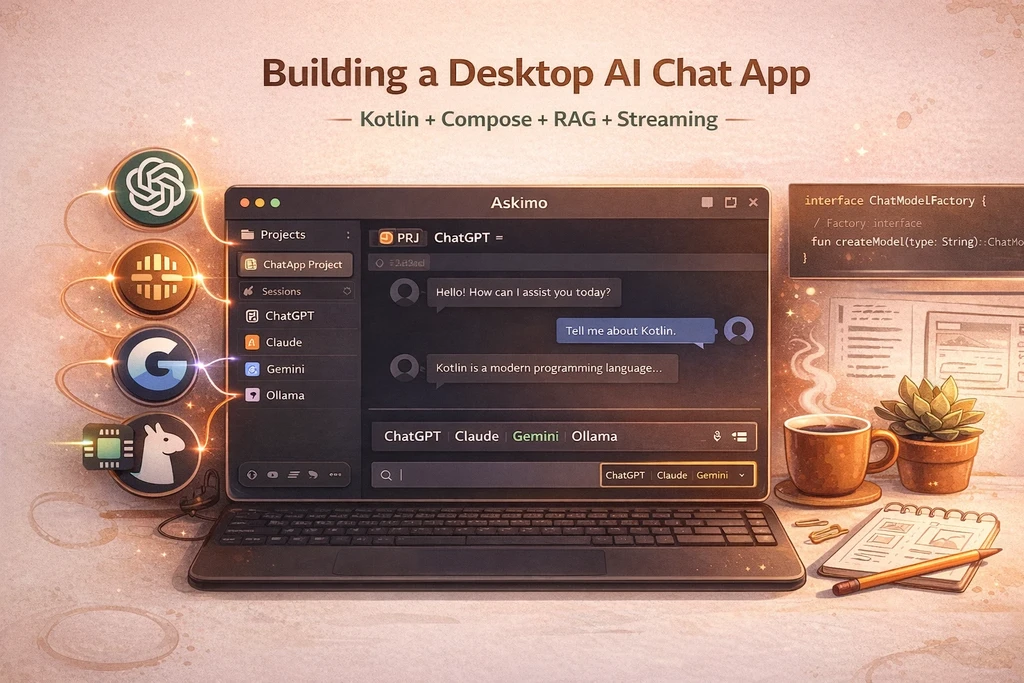
Building a Desktop AI Chat App for ChatGPT, Claude, Gemini & Ollama
Learn how to build an open-source desktop AI chat client that connects multiple AI providers in one application. This technical guide covers Kotlin Compose architecture, streaming responses, RAG implementation, and production patterns.
The Problem: Using ChatGPT, Claude, Gemini Means Opening Multiple Apps
As developers, we’ve discovered that different AI models excel at different tasks. ChatGPT is great for general conversation and brainstorming. Claude works well for coding questions and technical analysis. Gemini handles multimodal tasks with images and documents. Ollama gives you free, unlimited access to open-source models without subscription limits.
But here’s the frustration: Each of these requires a different web application, a different account, a different browser tab.
The modern AI workflow reality:
- ChatGPT web app open for general questions
- Claude web app open for coding help
- Google AI Studio open for multimodal tasks
- Ollama command line running locally for experimentation without API costs
- Constant context switching between different interfaces, keyboard shortcuts, and UX patterns
- Fragmented conversation history - your coding discussion with Claude is separate from your general brainstorming in ChatGPT
- No unified search - can’t search across all your AI conversations in one place
- Multiple subscriptions - managing different payment plans and free tier limits
What if you could have one desktop application that works with ChatGPT, Claude, Gemini, Ollama, and any other AI provider - letting you choose the best model for each task without switching apps?
That’s why we built Askimo - an open-source desktop AI chat client built with Kotlin and Compose for Desktop. You can download it for free for macOS, Windows, and Linux.
Why Desktop? Why Not Another Web App?
Before diving into the technical implementation, let’s address the elephant in the room: Why build a desktop app in 2026?
Desktop Advantages for AI Chat
-
Zero Infrastructure: Just download and run. No server to set up, no deployment, no hosting costs. Open the app and start chatting.
-
Persistent State: Desktop apps don’t lose state when you close a tab. Chat in up to 20 tabs simultaneously - more than enough for any workflow - and they all stay exactly where you left them.
-
True Privacy: Local-first architecture means conversations never leave your machine unless you explicitly send them to an AI provider.
-
Native Performance: No browser overhead. Direct access to system resources for faster rendering and lower memory usage (50-300 MB vs 500+ MB for browser tabs).
-
Offline Capability: Read past conversations, search history, and manage projects - all without internet.
-
System Integration: Deep OS integration for keyboard shortcuts, native notifications, and file system access.
Why Kotlin + Compose for Desktop?
- Modern declarative UI with Compose’s reactive paradigm
- Shared code between CLI and desktop modules
- Coroutines for elegant async/concurrent programming
- Type safety that prevents entire classes of runtime errors
- Mature ecosystem with LangChain4j for AI integration
Strategic advantage: Code reuse for mobile apps
Choosing Kotlin and Compose Multiplatform gives us a significant long-term benefit: when we expand to mobile (iOS/Android), we can reuse 60-80% of our codebase.
The same business logic that powers the desktop app can power mobile:
- Session management - Same conversation state management across all platforms
- AI provider integrations - OpenAI, Anthropic, Ollama clients work identically
- Streaming handling - The concurrent stream management we built for desktop works on mobile
- Database layer - SQLite-based storage runs on all platforms
- Markdown rendering - Custom renderer works on iOS and Android without changes
- RAG pipeline - Document processing and embedding logic is platform-agnostic
Only the UI layer needs platform-specific adaptation - and even there, Compose Multiplatform lets us share UI components with platform-specific tweaks.
Compare this to the web app path:
- Web → Mobile means rebuilding everything in Swift/Kotlin or using slower hybrid frameworks
- Desktop Electron → Mobile means completely separate codebases
- Native from the start → Future mobile apps share the same proven, battle-tested core
And this isn’t some experimental tech we’re betting on - Compose Multiplatform is already battle-tested in production by companies like JetBrains and Netflix. So when we decide to ship mobile apps, we won’t be starting from scratch. All the tricky stuff - session management, streaming handlers, RAG pipelines - will already work. We’ll just need to adapt the UI.
TL;DR: Desktop first, but with mobile in our back pocket for later.
The Trade-offs: More Effort, Better Control
Let’s be honest: building a native desktop app requires significantly more effort than a web app.
When you build for the web, the browser gives you useful tools for free:
- Markdown rendering - Just use a library like
marked.jsand let the browser’s HTML engine handle it - Syntax highlighting - Drop in Prism.js or highlight.js
- Charts and visualizations - Chart.js, D3.js, countless options
- File handling - Browser APIs abstract the complexity
- Cross-platform rendering - Write once, runs everywhere with the same look
For a native desktop app, we had to build all of this ourselves:
- Custom Markdown Rendering
- Implemented a CommonMark parser in Kotlin
- Built custom rendering logic for code blocks, tables, lists
- Created syntax highlighting integration for 50+ programming languages
- No browser HTML engine to fall back on
- Platform-Specific Challenges
- File system access differs on macOS, Windows, and Linux
- Window management and keyboard shortcuts need OS-specific handling
- Native menus and notifications require platform adapters
- Different packaging systems for each OS (DMG, MSI, DEB/RPM)
- Custom UI Components
- Built chart rendering using Compose Canvas APIs
- Implemented custom text editors with syntax highlighting
- Created scrollable containers with proper touch/mouse handling
- Designed responsive layouts without CSS flexbox
- Resource Management
- Manual memory management for long-running processes
- Thread pool sizing for concurrent AI streams
- Database connection pooling
- No browser garbage collection to rely on
So why go through all this extra effort?
We believe the benefits are worth it for this specific use case:
1. Performance & Resource Efficiency
- 50-300 MB memory usage vs 500+ MB for equivalent web apps
- 1.5-3 second startup vs 5-10 seconds for web-based alternatives
- Direct system access - no browser overhead for file operations
- Efficient rendering - only what changed, not full DOM diffing
2. User Control & Privacy
- Complete local storage - users truly own their data
- No cloud dependencies for core functionality
- Encrypted local database - conversations never leave the machine (learn more about Askimo’s security features)
- No telemetry or tracking by default - users control everything
3. Long-term Strategic Benefits
- Local tool integration - direct access to file system, terminal, development tools
- Offline-first - full functionality without internet (except AI API calls)
- System integration - global keyboard shortcuts, menu bar presence, system notifications
- Future extensibility - can integrate with OS-level features (Spotlight search, Quick Look, etc.)
4. Better UX for AI Workflows
- Instant search - local SQLite queries are 10-100x faster than cloud-based search
- Reliable state - no session timeouts, no lost tabs, no connection drops
- Multi-tab workflows - handle 20+ concurrent conversations without browser memory bloat (see desktop features)
- Consistent experience - same UI across all platforms, not dependent on browser quirks
The web browser is well-suited for content consumption, but for productivity tools handling sensitive data and requiring deep system integration, native apps offer advantages.
For Askimo specifically, the ability to:
- Store thousands of conversations locally with instant search
- Switch AI providers without page reloads or state loss
- Work with multiple AI platforms - from cloud services like ChatGPT, Claude, and Gemini to local Ollama models
- Access project files and web content directly for RAG context
- Work offline for reviewing past conversations
…made the extra development effort a worthwhile investment.
Bottom line: If you’re building a simple content-focused app, choose web. If you’re building a productivity tool that needs privacy, performance, and deep system integration, the native desktop path - despite its challenges - delivers better long-term value for users.
Architecture Overview
Askimo uses a provider-agnostic architecture that abstracts AI models behind a common interface. Here’s the high-level structure:
┌─────────────────────────────────────────┐│ Compose Desktop UI Layer ││ (ViewModels + Reactive State) │└──────────────┬──────────────────────────┘ │┌──────────────▼──────────────────────────┐│ Session Management Layer ││ (up to 20 tabs, LRU cache) │└──────────────┬──────────────────────────┘ │┌──────────────▼──────────────────────────┐│ Provider Abstraction Layer ││ ChatModelFactory<T: ProviderSettings> │└──────────────┬──────────────────────────┘ │ ┌───────┴───────┐ │ │┌──────▼─────┐ ┌────▼──────┐│ OpenAI │ │ Ollama │ ...│ Factory │ │ Factory │└────────────┘ └───────────┘ │ │┌──────▼───────────────▼──────────────────┐│ LangChain4j Integration ││ (Streaming, Memory, RAG, Tools) │└─────────────────────────────────────────┘Core Implementation: Provider Abstraction
The heart of Askimo’s multi-provider support is the ChatModelFactory interface. This is how we achieve provider independence. You can see all supported AI providers and their configuration in the documentation.
1. ChatModelFactory Interface
interface ChatModelFactory<T : ProviderSettings> {    // List available models for this provider    fun availableModels(settings: T): List<String>
    // Identify which provider this factory creates    fun getProvider(): ModelProvider
    // Default configuration for this provider    fun defaultSettings(): T
    // Create a chat client instance    fun create(        sessionId: String? = null,        model: String,        settings: T,        retriever: ContentRetriever? = null,        executionMode: ExecutionMode,        chatMemory: ChatMemory? = null,    ): ChatClient
    // Create cheap utility client for classification tasks    fun createUtilityClient(settings: T): ChatClient}
Key Design Decisions:
- Generic type parameter
<T: ProviderSettings>- Each factory specifies its own settings type, ensuring type safety at compile time - ContentRetriever for RAG - Optional parameter enables Retrieval-Augmented Generation for file/project context
- ChatMemory injection - Conversation history managed externally but injected at creation time
- ExecutionMode awareness - Different behavior for CLI vs Desktop (e.g., tools disabled in desktop)
- Utility client for background tasks -
createUtilityClient()returns a cheap, fast model for tasks that don’t need the most powerful AI
Why createUtilityClient?
Many AI workflows involve tasks that don’t require expensive, state-of-the-art models. Examples include:
Memory summarization:
- Condensing old conversation messages into summaries
- A simple task that GPT-3.5-turbo handles just as well as GPT-4
- Running hundreds of times during long conversations
- Using GPT-4 would cost 10-20x more with no quality benefit
Intent classification:
- Deciding “should we use RAG for this query?” → YES/NO
- Validating “is this a question?” → YES/NO
- Simple binary decisions that don’t need advanced reasoning
The trade-off:
- Cloud providers (OpenAI, Anthropic, Google): Use a cheaper model (e.g., GPT-3.5-turbo costs ~$0.001/1K tokens vs GPT-4’s ~$0.03/1K tokens)
- Local providers (Ollama, LM Studio): Use the same model (no API costs, so no benefit to switching)
// Example: OpenAI implementationclass OpenAiChatModelFactory : ChatModelFactory<OpenAiSettings> {    override fun createUtilityClient(settings: OpenAiSettings): ChatClient {        // Use GPT-3.5-turbo for cheap background tasks        return create(            sessionId = null,            model = "gpt-3.5-turbo",  // Cheap model for utility tasks            settings = settings,            retriever = null,            executionMode = ExecutionMode.DESKTOP,            chatMemory = null        )    }}
// Example: Ollama implementationclass OllamaChatModelFactory : ChatModelFactory<OllamaSettings> {    override fun createUtilityClient(settings: OllamaSettings): ChatClient {        // Local models have no API cost, use the same model        return create(            sessionId = null,            model = settings.defaultModel,  // Same model, no cost difference            settings = settings,            retriever = null,            executionMode = ExecutionMode.DESKTOP,            chatMemory = null        )    }}
Real-world impact:
- A user with 100 conversations averaging 200 messages each triggers ~100 summarization calls
- With GPT-4: ~$6-10 in API costs for background tasks
- With GPT-3.5-turbo utility client: ~$0.30-0.50 in API costs
- 20x cost reduction for the same functionality
This pattern keeps the AI experience responsive and affordable without compromising the quality of user-facing responses.
2. ProviderSettings Interface
Each provider has its own settings class:
interface ProviderSettings {    val defaultModel: String
    // Human-readable description (masks sensitive data)    fun describe(): List<String>
    // Configurable fields for UI    fun getFields(): List<SettingField>
    // Update a field and return new instance (immutable pattern)    fun updateField(fieldName: String, value: String): ProviderSettings
    // Validate settings are ready for use    fun validate(): Boolean
    // Help text when validation fails    fun getSetupHelpText(messageResolver: (String) -> String): String}
3. Example: OpenAI Provider Implementation
Here’s how we implement the OpenAI/ChatGPT provider:
@Serializabledata class OpenAiSettings(    override var apiKey: String = "",    override val defaultModel: String = "gpt-4o",    var baseUrl: String = "https://api.openai.com/v1",    override var presets: Presets = Presets(Style.BALANCED),) : ProviderSettings, HasApiKey, HasBaseUrl {
    override fun validate(): Boolean = apiKey.isNotBlank()
    override fun getSetupHelpText(messageResolver: (String) -> String): String {        return """            OpenAI requires an API key to use.            1. Get your API key: https://platform.openai.com/api-keys            2. Configure it with: :set-param api_key YOUR_KEY        """.trimIndent()    }}
Streaming AI Responses: Managing Multiple Concurrent Conversations
One of Askimo’s key features: handling up to 20 simultaneous AI conversations, each with its own streaming response thread.
The Challenge
- Each active conversation needs a dedicated thread for streaming AI responses
- Memory must be bounded to prevent resource exhaustion
- Inactive sessions should be cached but unloaded from memory
- Thread-safe state management across concurrent operations
Our Approach
We use Kotlin’s StateFlow for reactive state management and Coroutines for concurrent streaming:
class ChatViewModel(    private val sessionId: String,    private val chatService: ChatService,) {    private val _isStreaming = MutableStateFlow(false)    val isStreaming: StateFlow<Boolean> = _isStreaming.asStateFlow()
    private val _messages = MutableStateFlow<List<Message>>(emptyList())    val messages: StateFlow<List<Message>> = _messages.asStateFlow()
    fun sendMessage(content: String) {        viewModelScope.launch {            _isStreaming.value = true
            try {                chatService.streamResponse(content)                    .catch { error -> handleStreamingError(error) }                    .collect { chunk -> appendToLastMessage(chunk) }            } finally {                _isStreaming.value = false            }        }    }}
Key benefits:
- Reactive UI updates - Compose automatically recomposes when StateFlow changes
- Thread-safe - StateFlow handles concurrent access safely
- Backpressure handling - Won’t overwhelm UI with rapid updates
- Automatic cleanup - Coroutines cancelled when ViewModel disposed
Session Management
We maintain up to 20 active sessions in memory with LRU-style eviction:
- Sessions only created when first accessed (lazy initialization)
- Inactive sessions automatically cleaned up when limit reached
- Active streaming sessions are never evicted
- Mutex-protected state for thread safety
This keeps memory usage bounded (~50-300 MB total) while supporting real-world workflows.
Error Recovery: Preserving Partial AI Responses
AI APIs can fail at any moment - network issues, rate limits, timeouts. Most chat apps lose everything when this happens. Askimo preserves partial responses.
The Problem
When an AI streaming call fails:
- You’ve already received 500 words of a 1000-word response
- The API connection drops
- Standard implementations discard everything
Our Solution: Incremental Persistence
private suspend fun handleStreamingError(error: Throwable) {    // Get the partial content we've accumulated so far    val partialContent = getCurrentAccumulatedContent()
    if (partialContent.isNotEmpty()) {        // Save what we have        val partialMessage = Message(            content = partialContent + "\n\n[Response interrupted: ${error.message}]",            role = Role.ASSISTANT,            timestamp = Clock.System.now(),            isError = true        )
        // Replace the temporary streaming message with saved version        replaceTemporaryMessage(partialMessage)
        // Persist to database immediately        messageRepository.save(sessionId, partialMessage)    }
    // Notify user with non-intrusive error indicator    eventBus.publish(StreamingErrorEvent(sessionId, error))}
User Experience:
- ✅ Partial responses are preserved and saved
- ✅ Clear visual indication that response was interrupted
- ✅ Resume capability - Users can retry from the partial state
- ✅ No data loss - Everything is persisted immediately
Project-Based Context: RAG for Your Documents
One useful feature we added: point it at your documents and ask questions. Whether it’s code, PDFs, Microsoft Office files, OpenOffice documents, or web pages - Askimo can understand and answer questions about your content. Learn more about Askimo’s RAG capabilities.
Architecture: Content Retrieval
// User attaches a project folder or documentsval project = Project(    name = "my-project",    knowledgeSources = listOf(        FileSystemSource("/path/to/documents"),  // PDFs, Office docs, text files        FileSystemSource("/path/to/codebase/src"),  // Source code        UrlSource("https://docs.example.com")  // Web documentation    ))
// When user sends a message in this project's session:val retriever = createContentRetriever(project)
val chatClient = factory.create(    sessionId = sessionId,    model = "gpt-4o",    settings = openAiSettings,    retriever = retriever,  // RAG enabled!    executionMode = ExecutionMode.DESKTOP,    chatMemory = conversationMemory)
How RAG Works in Askimo
Askimo supports a wide range of document formats:
- Office Documents: Microsoft Word (.docx), Excel (.xlsx), PowerPoint (.pptx)
- OpenOffice: Writer (.odt), Calc (.ods), Impress (.odp)
- PDFs: Extracts text content from PDF files
- Code: All programming languages and text-based formats
- Web Pages: Crawl and index documentation sites
The RAG Pipeline:
- Ingestion: Documents are parsed, chunked, and embedded when project is created
- Query-time retrieval: User’s question is embedded and similar chunks retrieved
- Context injection: Retrieved chunks are added to the prompt automatically
- Response: AI answers using both conversation history AND document context
Hybrid Search: JVector + Lucene
We chose a hybrid content retriever that combines two complementary search strategies:
1. Vector Search (JVector) - Semantic similarity
- Finds content that’s conceptually related to the query
- Example: Query “error handling” matches “exception management” even without exact words
- Uses embeddings to capture meaning, not just keywords
2. Keyword Search (Lucene) - Exact term matching
- Finds content with specific terms, names, or identifiers
- Example: Query “UserRepository.findById” finds exact method references
- Critical for code, API names, and technical terms
Why hybrid?
Neither approach alone is sufficient:
- Vector-only: Misses exact matches (class names, function signatures, specific error codes)
- Keyword-only: Misses semantic relationships (synonyms, paraphrased concepts, related ideas)
The hybrid retriever combines both using Reciprocal Rank Fusion (RRF) - a proven algorithm that merges ranked lists:
class HybridContentRetriever(    private val vectorRetriever: ContentRetriever,    private val keywordRetriever: ContentRetriever,    private val maxResults: Int,    private val k: Int = 60  // Standard RRF constant) : ContentRetriever {
    override fun retrieve(query: Query): List<Content> {        val vectorResults = vectorRetriever.retrieve(query)        val keywordResults = keywordRetriever.retrieve(query)
        // Merge using Reciprocal Rank Fusion        return reciprocalRankFusion(vectorResults, keywordResults)            .take(maxResults)    }}
How RRF works:
For each document, calculate a fusion score based on its rank in each list:
RRF_score(doc) = Σ 1 / (k + rank_i)Where:
k = 60(standard constant that balances the contribution from different retrievers)rank_iis the position of the document in retriever i’s results (1st = rank 1, 2nd = rank 2, etc.)
Example:
-
A document ranked #1 in vector search and #3 in keyword search:
- Vector score: 1/(60+1) ≈ 0.016
- Keyword score: 1/(60+3) ≈ 0.016
- Total RRF score: 0.032
-
A document ranked #1 in both:
- Vector score: 1/(60+1) ≈ 0.016
- Keyword score: 1/(60+1) ≈ 0.016
- Total RRF score: 0.032 (same as above!)
-
A document ranked #1 in vector but not found in keyword:
- Vector score: 1/(60+1) ≈ 0.016
- Keyword score: 0
- Total RRF score: 0.016 (lower than documents found in both)
Why RRF is better than weighted averaging:
- Rank-based, not score-based: Different retrievers produce incomparable scores. RRF only cares about relative ranking.
- Robust to failures: If one retriever fails, we gracefully fall back to the other
- Rewards consensus: Documents appearing in both lists naturally get higher scores
- Well-researched: RRF is a proven algorithm used in information retrieval research
Real-world impact:
- Asks “how to fix null pointer” → finds both “NullPointerException” (keyword) and “defensive null checks” (semantic)
- Asks about “database queries” → finds both “SQL” (keyword) and “data access patterns” (semantic)
- More accurate retrieval = better AI answers grounded in your actual documents
Implementation uses LangChain4j’s RAG components:
fun createContentRetriever(project: Project): ContentRetriever {    val embeddingStore = InMemoryEmbeddingStore<TextSegment>()    val embeddingModel = createEmbeddingModel()
    // Index all knowledge sources    project.knowledgeSources.forEach { source ->        val documents = loadDocuments(source)        val segments = DocumentSplitters.recursive(500, 50).split(documents)        embeddingStore.addAll(segments, embeddingModel.embedAll(segments))    }
    return EmbeddingStoreContentRetriever(        embeddingStore = embeddingStore,        embeddingModel = embeddingModel,        maxResults = 5,        minScore = 0.7    )}
Memory Management: Token-Aware Conversation History
The Token Problem
Here’s something many users don’t realize: Every time you send a message to an AI model, the entire conversation history goes with it.
When you ask ChatGPT or Claude a question, the API call looks like this:
{ "messages": [ {"role": "system", "content": "You are a helpful assistant"}, {"role": "user", "content": "What is Python?"}, {"role": "assistant", "content": "Python is a programming language..."}, {"role": "user", "content": "How do I install it?"}, {"role": "assistant", "content": "You can install Python by..."}, {"role": "user", "content": "Show me a hello world example"} ]}Notice the pattern? Every previous message is sent again. This is how AI models maintain context - they don’t actually “remember” your conversation. Each request is stateless, so you must resend the entire history for the model to understand what you’re talking about.
The consequences:
-
Token consumption grows quadratically:
- Message 1: ~100 tokens sent
- Message 10: ~1,000 tokens sent (all previous messages)
- Message 50: ~5,000+ tokens sent
- Message 100: ~10,000+ tokens sent (approaching model limits!)
-
API costs increase: You pay for every token sent, so longer conversations get exponentially more expensive
-
Context limits: Most models have token limits (4K-128K depending on the model). Once you hit the limit, you can’t continue the conversation without removing history
-
Performance degradation: Larger context windows slow down response times
Askimo’s solution: Auto-summarize old messages while keeping recent ones to maintain conversational flow.
Token-Aware Memory with Intelligent Summarization
The key insight: You don’t need the entire history, just enough context.
Most conversations follow a natural pattern - the most recent exchanges are what matter for understanding the current question. Earlier messages provide background context, but you rarely need word-for-word accuracy from 50 messages ago. What you need is:
- Recent messages in full - The last 50-60% of conversation for immediate context and continuity
- Historical overview - A structured summary of earlier messages capturing key facts, decisions, and topics
- System instructions preserved - Original prompts and setup never discarded
Think of it like a work meeting - you don’t replay the entire 2-hour discussion. You recap the key decisions from the first hour, then dive into the details of recent conversation.
Askimo’s approach:
- Summarize old messages - Condense the oldest 45% into a structured summary with key facts and topics
- Keep recent messages intact - Preserve the remaining 55% for immediate conversational context
- Never touch system messages - Instructions are always preserved
- Run asynchronously - Doesn’t block user interaction
class TokenAwareSummarizingMemory(    private val appContext: AppContext,    private val sessionId: String,    private val summarizationThreshold: Double = 0.6  // Trigger at 60% of max tokens) : ChatMemory {
    // Maximum tokens: 40% of model's context window (dynamically calculated)    private val maxTokens: Int        get() = (ModelContextSizeCache.get(currentModel) * 0.4).toInt()
    override fun add(message: ChatMessage) {        messages.add(message)        persistToDatabase()
        val totalTokens = estimateTotalTokens()        val threshold = (maxTokens * summarizationThreshold).toInt()
        if (totalTokens > threshold && !summarizationInProgress) {            triggerAsyncSummarization()  // Non-blocking        }    }
    override fun messages(): List<ChatMessage> = buildList {        // Structured summary as system message (if exists)        structuredSummary?.let { add(SystemMessage.from(it)) }
        // Recent conversation messages        messages.forEach { add(it.toChatMessage()) }    }}
// Structured summary format@Serializabledata class ConversationSummary(    val keyFacts: Map<String, String>,    val mainTopics: List<String>,    val recentContext: String)
What this achieves:
Before (100 messages, ~15,000 tokens):[Message 1] [Message 2] ... [Message 98] [Message 99] [Message 100]❌ Exceeds token limit, API call fails
After summarization (~10,000 tokens):[Summary of messages 1-45] [Message 46] ... [Message 99] [Message 100]✅ Under token limit, context preserved, conversation continues smoothly
Implementation details:
- Summarizes the oldest 45% of conversation messages when token threshold (60% of max) is reached
- System messages (instructions) are never summarized or removed - they’re preserved indefinitely
- Runs asynchronously so it doesn’t block the user’s interaction
- Falls back to extractive summary if AI-powered summarization fails
Real-world example:
Imagine a 100-message conversation about building a React app that hits the token limit:
- Messages 1-45: Initial planning, architecture decisions, setup questions, debugging
- Messages 46-100: Recent implementation and current discussion
Without summarization: All 100 messages sent = ~15,000 tokens ❌ Exceeds limit With summarization:
- Structured summary of messages 1-45: ~800 tokens
- Messages 46-100 (55 messages): ~8,250 tokens
- Total: ~9,050 tokens (~40% reduction, under the limit ✅)
Why keep the majority of recent messages intact?
The AI needs immediate context to understand:
- What you discussed in the last 50+ messages
- The current flow and direction of conversation
- Recent code examples, error messages, or specific questions
- Continuity between related topics
A structured summary with key facts like “User is building a React app with TypeScript, discussed routing and API integration” provides useful background context. But the AI needs the actual recent messages to understand nuanced questions like:
- “So should I use try-catch or error boundaries?” (referring to your error handling discussion 10 messages ago)
- “Can you show me the implementation for the second approach?” (referring to two options discussed recently)
- “What was that library you mentioned earlier?” (needs the actual message where the library was named)
The 45/55 split strikes the right balance:
- 45% oldest messages → Summarized into key facts and topics (compressed ~95%)
- 55% recent messages → Kept verbatim for full conversational context
- System messages → Always preserved (these are instructions, not conversation)
This approach ensures the AI has both:
- Condensed historical context - What the conversation has been about overall
- Full recent detail - The nuanced back-and-forth needed to continue naturally
Benefits:
- ✅ 30-50% token reduction - Meaningful API cost savings over time
- ✅ Unlimited conversations - Never hit token limits, chat forever
- ✅ Structured summaries - AI extracts key facts and topics, not just truncation
- ✅ Transparent to users - Happens asynchronously in the background
- ✅ Robust fallback - If AI summarization fails, uses extractive summary
- ✅ Dynamic limits - Automatically adjusts based on model’s context window (40% allocation)
- ✅ Smart preservation - System messages (instructions) are never removed
Why this matters:
- No manual intervention - Summarization happens transparently when 60% threshold is reached
- Cost optimization - Reducing 30-50% of tokens adds up over hundreds of conversations
- Better context quality - Structured summaries preserve key facts and topics, removing conversational noise
- Persistence - Memory is saved to database, survives app restarts
- Async operation - 60-second timeout ensures it doesn’t block user interaction
Performance Insights: Managing Multiple AI Platforms in One Desktop App
Building a desktop app that manages multiple concurrent AI conversations taught us important lessons about resource management. Here’s what we learned about the performance trade-offs:
Memory Usage Patterns
A typical desktop AI chat application’s memory footprint consists of:
Base application layer (~50 MB)
- JVM runtime overhead
- Compose Desktop UI framework
- Core application state
Per-session overhead (~2-5 MB each)
- Each conversation needs its own ViewModel instance
- State management (messages list, streaming state, settings)
- With 20 concurrent sessions: ~40-100 MB additional
Conversation history caching (~5-10 MB per 100 messages)
- Messages are kept in memory for active sessions
- Lazy loading from SQLite for inactive sessions
- A power user with 20 tabs × 100 messages each ≈ 100-200 MB
RAG embedding stores (varies by project size)
- Small project (500 files): ~50 MB
- Medium project (5,000 files): ~200-500 MB
- Large project (20,000+ files): 1+ GB
Total memory range: 50-300 MB for typical usage (excluding large RAG projects and AI model memory).
Why These Numbers Matter
Compared to web-based alternatives:
- Web apps in browser tabs: 200-500 MB per tab (browser overhead included)
- Our approach: 2-5 MB per session (no browser overhead)
- Trade-off: We had to build custom rendering, but gained 10-100x better per-session memory efficiency
Startup time trade-offs:
- Cold start: 1.5-3 seconds (loading JVM + Compose Desktop)
- Web apps: ~1 second initial load, but 3-5 seconds for full interactivity
- Electron alternatives: 5-10 seconds (loading Chromium)
- Learning: Desktop app initialization is competitive once you account for full interactivity
Database Performance
SQLite for local message storage:
- Write latency: <10ms per message (includes indexing)
- Full-text search: <50ms across 10,000+ messages
- No network round-trip delays like cloud-based alternatives
Why local-first matters:
- Zero API latency for message retrieval
- Works fully offline for history browsing
- No sync conflicts or version issues
Concurrency Limits
Why we cap at 20 concurrent sessions:
- Each streaming session holds an open HTTP connection
- Memory grows linearly with active sessions
- UI remains responsive up to ~30 tabs, but 20 is a comfortable limit
- Real-world usage: Most users have 3-8 active conversations
The lesson: Hard limits prevent resource exhaustion. Better to cap explicitly than let the system degrade unpredictably.
Rendering Performance
Compose Desktop maintains 60 FPS because:
- Only re-renders changed UI components (reactive architecture)
- Streaming updates are throttled to prevent overwhelming the UI thread
- Message virtualization for long conversation lists
Trade-off we made:
- Custom markdown renderer required significant effort
- But we gained full control over rendering performance and caching
Key Takeaways for Desktop AI Application Development
-
Memory management is crucial - With multiple concurrent sessions, every MB counts. Lazy loading and LRU eviction prevented unbounded growth.
-
Local-first architecture pays off - SQLite message storage gives us instant search and offline access without cloud sync complexity.
-
Async everywhere - Kotlin coroutines made concurrent streaming manageable. Every blocking operation runs in a background dispatcher.
-
Cap resources explicitly - 20 concurrent sessions is a reasonable limit that prevents degradation while supporting real workflows.
-
Desktop overhead is acceptable - The 1.5-3s startup time and 50MB base memory are worthwhile for the privacy, performance, and offline benefits.
Try It Yourself
Askimo is open source (AGPLv3) and available now:
- 🌐 Website: https://askimo.chat
- 💻 GitHub: github.com/haiphucnguyen/askimo
- 📥 Download: Get installers for macOS, Windows, Linux
- 📖 Docs: Complete documentation and setup guides
Related resources:
- Installation guides for macOS, Windows, and Linux
What’s Next?
We’re actively developing:
- Voice input/output - Hands-free conversations with speech-to-text and text-to-speech support
- Plugin system - Extensible architecture for custom integrations:
- Custom RAG material sources - Integrate with Confluence, Notion, Google Drive, databases, or any data source
- MCP (Model Context Protocol) integrations - Connect AI models to external tools and services
- Custom AI providers - Add support for new AI services without modifying core code
- Team features - Share prompts, custom directives, and RAG projects across your organization
- Mobile companion app - iOS and Android apps using Kotlin Multiplatform to reuse 60-80% of desktop codebase
Want to contribute? Check out our CONTRIBUTING.md - we welcome PRs for new providers, features, and bug fixes!
Found this helpful? ⭐ Star Askimo on GitHub and try it for your own AI workflows!
This article showcases production patterns from Askimo, an AGPLv3-licensed desktop AI chat application built with Kotlin and Compose for Desktop. All code examples are simplified from the actual implementation available on GitHub.