

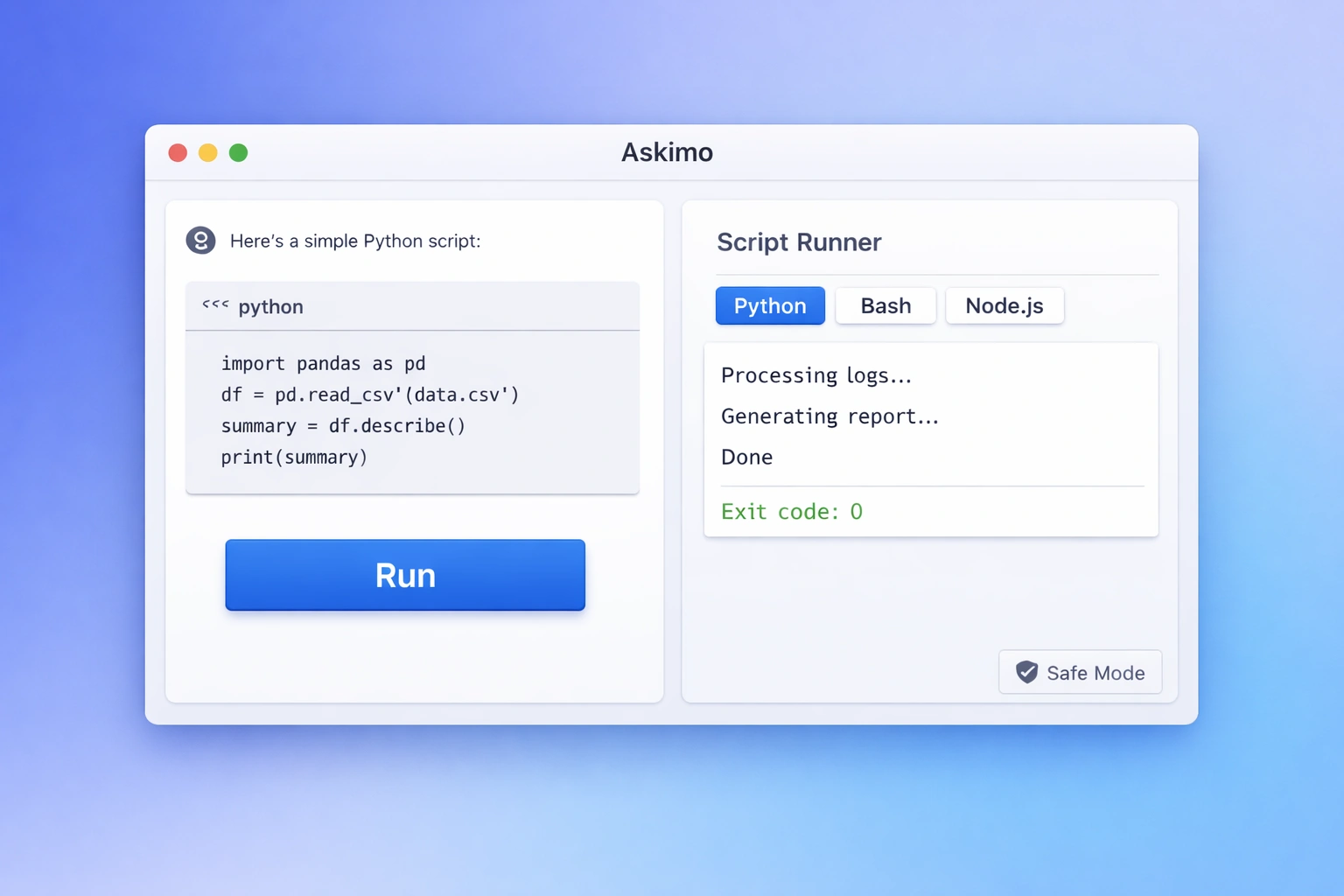
AI is great at writing code. But writing code and running code are two different things.
Until now, the workflow looked like this: ask AI for a script, copy it, open a terminal, paste it, cross your fingers. If something breaks, go back to chat, explain the error, copy the fix, paste again. Repeat.
Askimo’s Script Runner eliminates that loop. Run Python, Bash, and Node.js scripts directly inside the app - right where the AI wrote them - and see real output instantly.
What Is Script Runner?
Script Runner is a built-in code execution environment inside Askimo. When AI generates a script in your conversation, a Run button appears inline. Click it, and Askimo executes the code on your machine and shows you the real stdout output - errors included.
No terminal. No copy-pasting. No context switching.
It supports three runtimes out of the box:
| Runtime | Command | Best For |
|---|---|---|
| Python | python3 | Data processing, analysis, automation |
| Bash | bash | File operations, log parsing, system tasks |
| Node.js | node | API calls, JSON transforms, web scripting |
If a runtime is not installed on your system, Askimo hides the Run button for that language rather than failing silently.
Demo: Running Code Inside Askimo
Why Run Scripts Inside an AI Chat App?
The gap between “AI writes code” and “you get results” is bigger than it looks. Script Runner closes it by making execution a first-class part of the conversation.
The old workflow:
- Ask AI for a script
- Copy code from chat
- Open terminal
- Paste and run
- Copy error back into chat
- Get fix, repeat from step 2
With Script Runner:
- Ask AI for a script
- Click Run
- See output (or fix inline and run again)
That difference compounds fast when you are iterating on data transformations, debugging automations, or building small tools.
What You Can Do With Script Runner
Data processing and analysis
Ask AI to write a Python script, run it on your local files, and get results without any data leaving your machine:
import csv, collections
with open('sales.csv') as f:    rows = list(csv.DictReader(f))
by_region = collections.Counter(r['region'] for r in rows)for region, count in by_region.most_common():    print(f"{region}: {count} sales")
Ask AI to generate this, click Run, and get your breakdown instantly.
Log analysis and debugging
Use Bash to parse logs, search for error patterns, or summarize incidents:
grep "ERROR" /var/log/app.log | tail -50 | sort | uniq -c | sort -rnAPI calls and data transformation
Use Node.js to call an API, transform the response, and view structured output:
const res = await fetch('https://api.example.com/data');const data = await res.json();console.log(JSON.stringify(data.items.slice(0, 5), null, 2));Reproducible mini-workflows from chat
Chat sessions naturally become multi-step workflows: ask a question, get code, run it, fix errors, run again, export results. Script Runner keeps all of that in one place so the process is easy to repeat and share.
Safety: How Askimo Runs Scripts Responsibly
Running code is powerful. Askimo treats it carefully.
Everything runs locally. Scripts execute on your machine using your installed runtimes. No code is sent to a cloud sandbox, no external server processes your data.
You approve before anything runs. There is no auto-execution. You click Run explicitly. You stay in control at every step.
Output is transparent. You see real stdout and stderr - exactly what you would see in a terminal. No surprises.
Your data stays private. If you are processing sensitive files (financial data, customer records, internal logs), nothing leaves your machine. This is fundamentally different from web-based code execution tools that process your data on their servers.
Script Runner vs Running in a Terminal
| Terminal | Script Runner in Askimo | |
|---|---|---|
| Copy-paste required | Yes | No |
| Context switching | Yes | No |
| AI can see output and fix errors | No | Yes |
| Data leaves your machine | Depends | Never |
| Iteration speed | Slow | Fast |
| Works without tech background | Hard | Easier |
The key advantage is that AI can see the output directly and suggest fixes without you having to relay error messages back and forth.
Example Use Cases
- Analyze a GitHub repo list - inactive repos, recent commits, contributor stats
- Transform large CSVs - clean, filter, aggregate locally without uploading to a cloud tool
- Parse CI logs and ask AI to summarize the root cause from real output
- Generate a dataset and chart from a JSON API response
- Prototype a script before moving it into your codebase
- Automate repetitive file operations - rename, move, convert, compress
How Script Runner Relates to Other Askimo Features
Script Runner works well alongside other Askimo capabilities:
- RAG (document indexing): Index your codebase or data files, ask questions, then run scripts against them in the same session
- MCP tools: MCP connects AI to external tool servers; Script Runner executes code locally. Use both together for powerful local + remote automation
- AI Plans: Chain multi-step workflows where one step generates a script and the next runs it automatically
Frequently Asked Questions
Does Askimo upload my code or data to run it? No. Script Runner executes entirely on your local machine using your installed Python, Bash, or Node.js runtimes. Your code and data never leave your device.
Do I need to install Python, Bash, or Node.js separately? Yes. Askimo uses the runtimes already installed on your system. If a runtime is not found, the Run button is hidden for that language. Installation links: Python, Node.js.
Is there a timeout or file size limit? Scripts run until they complete or you stop them. There is no artificial timeout. For very large datasets, performance depends on your machine’s memory and CPU.
Can non-technical users benefit from Script Runner? Yes. Many users can copy-paste code but do not know how to run it safely. The single Run button with visible output makes script execution approachable even without terminal experience.
Is Script Runner the same as MCP tools? No. MCP tools connect AI to external tool servers (GitHub, databases, APIs). Script Runner executes Python, Bash, or Node.js code directly on your machine. They solve different problems and work well together.
Which AI models work with Script Runner? All models Askimo supports - ChatGPT, Claude, Gemini, Ollama, Grok, LM Studio, and others. Any model that generates code blocks will show the Run button for supported languages.
Is Script Runner available on all platforms? Yes - macOS, Windows, and Linux. Bash is available natively on macOS and Linux; on Windows, Askimo uses Git Bash or WSL if installed.
Get Askimo
Script Runner is built into Askimo alongside RAG, MCP tools, AI Plans, and multi-provider model switching.
Download Askimo - free, open source, works on macOS, Windows, and Linux.
- Works with ChatGPT, Claude, Gemini, Ollama, and more
- Local-first storage with encryption
- RAG for files and project knowledge
- MCP tool integrations
- Script Runner for Python, Bash, and Node.js
Star Askimo on GitHub