

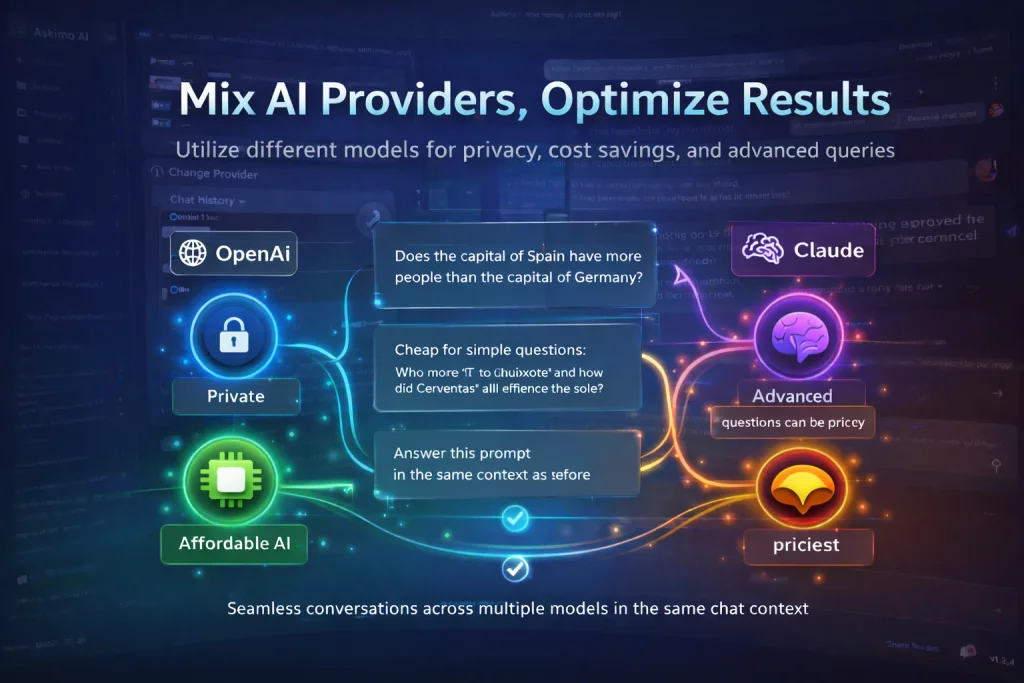
Choosing an AI chat client shouldn’t mean locking yourself into a single platform.
Different AI models excel at different tasks. Some are better at coding. Others shine in creative writing or data analysis. Some respect your privacy by running locally, while others offer cutting-edge cloud capabilities.
The best approach? Use an AI chat client that works with multiple platforms—ChatGPT, Claude, Gemini, Ollama, and more—and switch between them based on your needs.
Here’s why using multiple AI models in one app matters — and how it can transform your workflow.
Each AI Platform Has Its Own Strengths
No single AI model is perfect for everything.
Claude (Anthropic) excels at:
- Code generation and refactoring
- Complex reasoning tasks
- Long-form content with nuance
- Following detailed instructions
GPT-4 (OpenAI) is strong in:
- General knowledge and conversation
- Creative writing and brainstorming
- Business analysis and research
- Structured outputs and JSON
Gemini (Google) stands out for:
- Multimodal understanding (text, images, video)
- Real-time information integration
- Document analysis
- Visual reasoning
Ollama, LM Studio, LocalAI (Local models) offer:
- Complete privacy — your data never leaves your machine
- No API costs
- Offline functionality
- Full control over model selection
When you have access to multiple AI platforms in one chat client, you can pick the right tool for each specific task instead of forcing one model to do everything.
Privacy: Keep Sensitive Data Under Your Control
Not all conversations should be sent to the cloud.
When working with:
- Proprietary code
- Financial data
- Medical records
- Personal information
- Confidential business documents
Using local AI models like Ollama ensures your data stays on your machine. No third-party servers. No data retention policies. Complete privacy.
An AI chat client with support for multiple platforms lets you choose cloud models for general tasks and switch to local models when privacy matters most.
This flexibility is especially important for:
- Developers working on private repositories
- Business analysts handling sensitive reports
- Healthcare professionals
- Legal professionals
- Anyone who values data sovereignty
Cost Optimization: Use Cheap Models for Simple Tasks, Premium Models for Complex Ones
AI API costs add up fast — especially if you’re using premium models for every single query.
Here’s the reality:
- GPT-4 costs ~$0.03 per 1,000 input tokens
- Claude Opus costs ~$0.015 per 1,000 input tokens
- GPT-3.5 costs ~$0.0005 per 1,000 input tokens
- Local models (Ollama) are free
Not every question needs the most powerful (and expensive) model.
Simple questions:
- “What’s the capital of France?”
- “Convert this date format”
- “Summarize this paragraph”
→ Use a cheaper model or a local one.
Complex questions:
- “Analyze this financial dataset and find patterns”
- “Refactor this codebase using design patterns”
- “Write a technical specification for this feature”
→ Use a premium model.
With support for multiple AI platforms, you control costs while maintaining access to powerful models when you need them.
Mixed Conversations: Switch Models Without Losing Context
One of the most powerful features of an AI chat client with multiple platforms is seamless model switching within the same conversation.
Imagine this workflow:
- Start a conversation with GPT-4 to brainstorm ideas
- Switch to Claude to write clean, production-ready code
- Switch to Ollama (local model) to process sensitive data privately
- Switch back to Gemini to analyze an image or chart
All in the same session. Same context. Same conversation history.
You don’t need to:
- Copy/paste context between tools
- Repeat your question
- Start from scratch
- Lose your train of thought
This creates a unified AI workspace where you leverage the best of each platform without friction.
Askimo: The AI Chat Client Built for Multiple Platforms
Askimo is designed from the ground up to support multiple AI platforms in one unified interface.
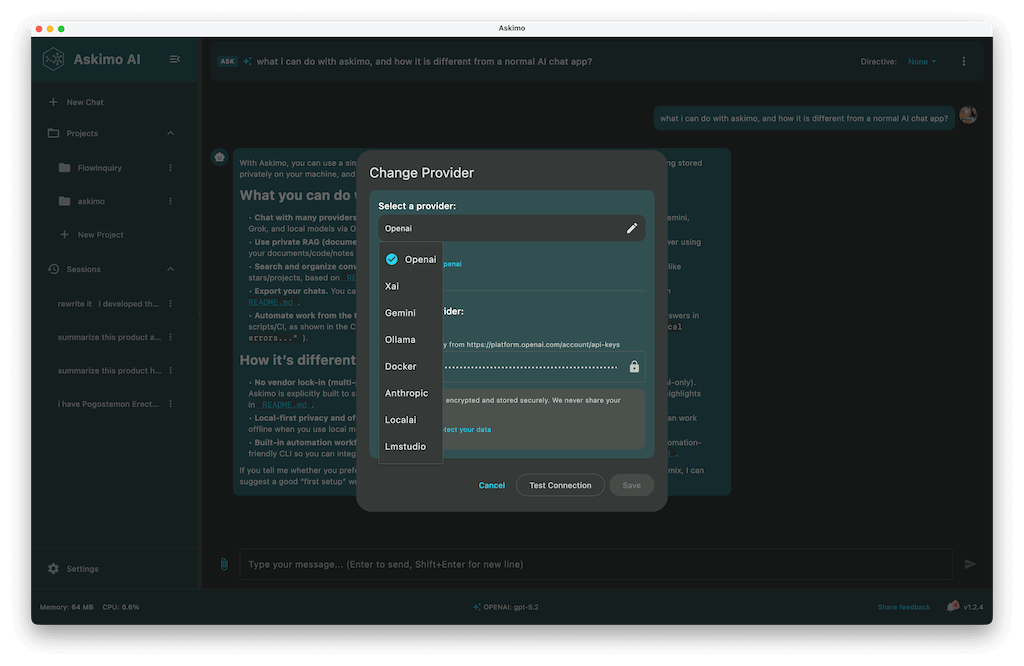
Supported Platforms
- OpenAI (GPT-4, GPT-3.5, GPT-4o)
- Anthropic (Claude 3.5, Claude 3 Opus/Sonnet/Haiku)
- Google (Gemini Pro, Gemini Flash)
- Ollama (Llama, Mistral, CodeLlama, and 100+ local models)
- LM Studio
- LocalAI
- Docker AI
Key Features for Professionals
Search Across Conversations Find any message, insight, or code snippet across all your AI conversations. Askimo indexes everything locally so you can instantly retrieve past work.
RAG (Retrieval-Augmented Generation) Support Connect AI to your knowledge base. Index documents, code repositories, or internal wikis — and let AI answer questions using your own data.
Read PDF, Office Files, and More Upload PDFs, Word documents, Excel spreadsheets, and more. Askimo extracts text and feeds it to the AI so you can analyze reports, contracts, or datasets instantly.
Web Content Scraping Provide a URL and Askimo fetches the content for AI analysis. Perfect for:
- Financial analysts tracking market reports
- Researchers gathering sources
- Developers reviewing documentation
- Business owners monitoring competitors
Who Benefits Most from Askimo?
Business Analysts
- Analyze financial reports with Gemini
- Generate summaries with GPT-4
- Keep sensitive data local with Ollama
Business Owners
- Optimize costs by using cheaper models for routine tasks
- Switch to premium models for strategic planning
- Maintain privacy for confidential documents
Developers
- Use Claude for code generation
- Use GPT-4 for documentation
- Use Ollama for private code analysis
- Use Gemini for diagram and chart interpretation
Researchers and Scientists
- Scrape research papers from the web
- Use RAG to chat with your entire research library
- Switch models based on task complexity
- Visualize data with chart rendering support
The Future: AI Chat Clients with Multiple Platforms
AI is evolving rapidly — new models launch every month, each with unique capabilities.
Locking yourself into a single platform means:
- Missing out on innovation
- Paying more than necessary
- Losing control over privacy
- Limiting your workflow
An AI chat client supporting multiple platforms gives you:
- Freedom to choose
- Cost control
- Privacy when needed
- Access to cutting-edge models
- Flexibility as the AI landscape changes
Askimo makes it easy to work with multiple AI platforms without juggling apps, accounts, or context.
Get Started with Askimo
Ready to take control of your AI workflow?
Download Askimo and start using multiple AI platforms in one unified app.
- Free and open source
- Works on macOS, Windows, and Linux
- Supports cloud and local models
- Search, RAG, and advanced features built-in
Download Askimo or try Askimo CLI for command-line workflows.
⭐ Star Askimo on GitHub and help shape the future of AI tools.