

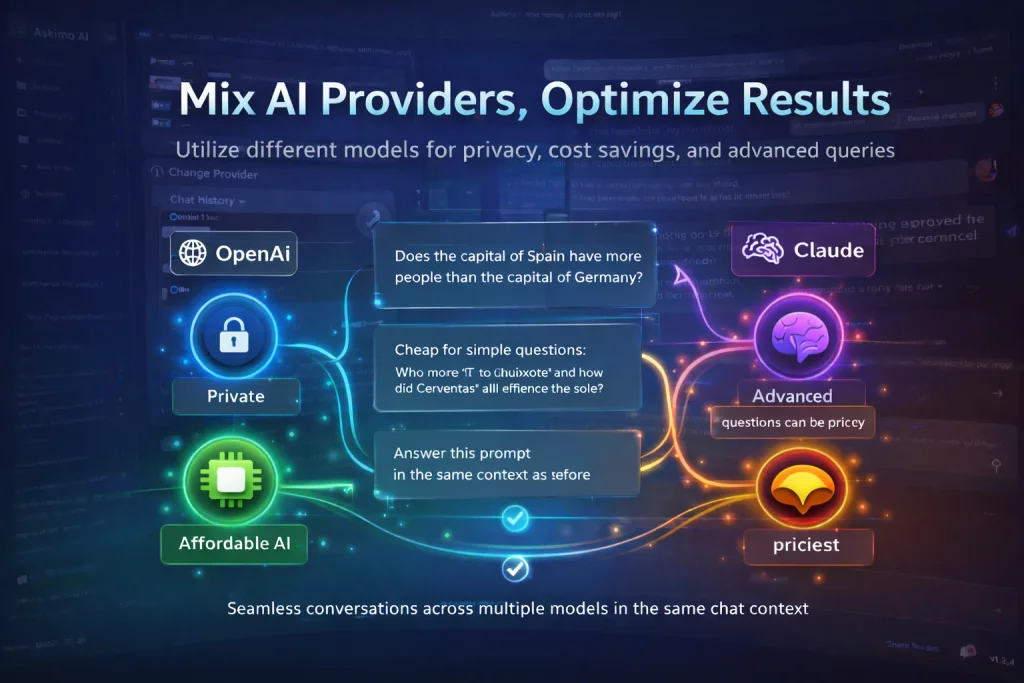
If you’re using just one AI model for everything, you’re leaving performance, privacy, and money on the table.
ChatGPT, Claude, Gemini, and Ollama each have distinct strengths. Claude writes better code. Gemini handles images. Ollama runs locally for free with zero data leaving your machine. The smartest workflow isn’t picking one - it’s using the right one for each task, all in the same conversation.
This guide explains exactly why, and shows how Askimo - a free, open-source AI desktop app - makes it effortless.
ChatGPT vs Claude vs Gemini vs Ollama: Which AI Model Is Best?
The honest answer: none of them. Each dominates in different areas.
| Model | Best For | Privacy | Cost |
|---|---|---|---|
| Claude (Anthropic) | Code, long documents, detailed instructions | Cloud | Pay per token |
| ChatGPT (OpenAI) | General tasks, creative writing, structured output | Cloud | Pay per token |
| Gemini (Google) | Images, multimodal, real-time data | Cloud | Pay per token |
| Ollama / LM Studio | Private data, offline use, zero cost | Local ✅ | Free ✅ |
| LocalAI / Docker AI | Self-hosted enterprise workflows | Local ✅ | Free ✅ |
Claude (Anthropic) excels at:
- Code generation, refactoring, and debugging
- Complex multi-step reasoning
- Long-form content with nuance and structure
- Following detailed, layered instructions precisely
ChatGPT (OpenAI) is strong in:
- General knowledge and natural conversation
- Creative writing, brainstorming, and ideation
- Business analysis and structured JSON output
- Broad task coverage across domains
Gemini (Google) stands out for:
- Multimodal understanding - text, images, video, and audio
- Real-time information and Google Search integration
- Document and chart analysis
- Visual reasoning tasks
Ollama, LM Studio, LocalAI (local models) offer:
- Complete privacy - your data never leaves your machine
- Zero API costs - run Llama, Mistral, Phi, and 100+ models free
- Full offline functionality
- No usage limits or rate throttling
When you have all of these in one AI desktop app, you pick the right tool per task instead of forcing one model to do everything.
Privacy: Route Sensitive Data to Local AI Models
Not every conversation should go to the cloud.
When working with proprietary code, financial records, medical data, legal documents, or confidential business information, sending that content to OpenAI or Google carries real risk - from data retention policies to model training on your inputs.
Local AI models like Ollama eliminate that risk entirely. Your data stays on your machine. No third-party servers. No retention policies. No internet required.
An AI desktop app with multi-provider support lets you:
- Use Claude or ChatGPT for general, non-sensitive work
- Switch to Ollama or LocalAI the moment the conversation turns confidential
- Do both in the same chat session without losing context
This is especially valuable for:
- Developers working on private or unreleased codebases
- Business analysts handling sensitive financial models
- Healthcare and legal professionals bound by compliance requirements
- Anyone who takes data sovereignty seriously
Cost Optimization: Stop Paying Premium Rates for Simple Tasks
AI API costs compound fast. Using GPT-4o or Claude Sonnet for every query, even simple ones, adds up to hundreds of dollars a month at scale.
The fix is routing:
| Task Type | Example | Recommended Model |
|---|---|---|
| Simple lookup | ”What’s the capital of France?” | Local (free) |
| Format conversion | ”Convert this date to ISO 8601” | Local (free) |
| Paragraph summary | ”Summarise this in 2 sentences” | Local (free) |
| Code generation | ”Refactor this class using SOLID principles” | Claude or GPT-4o |
| Data analysis | ”Find patterns in this financial dataset” | Gemini or GPT-4o |
| Technical writing | ”Write a spec for this feature” | Claude |
With local models handling the simple load, you spend premium API budget only where it moves the needle. Most teams can cut their AI API spend by 40-70% with this approach without any drop in output quality.
Switch AI Models Mid-Conversation Without Losing Context
This is the capability that changes how people work with AI.
In a single Askimo conversation you can:
- Start with ChatGPT to brainstorm a feature idea
- Switch to Claude to write the implementation plan and code
- Drop to Ollama (local) to process a sensitive config file or API key
- Jump to Gemini to analyse a screenshot or architecture diagram
Same session. Same history. Zero copy-pasting between tools.
You don’t repeat yourself, lose your thread, or maintain five browser tabs. The conversation flows naturally and the right model handles each part of the work.
Askimo: Free AI Desktop App for ChatGPT, Claude, Gemini & Ollama
Askimo is a free, open-source AI desktop app built specifically for multi-provider workflows. One interface for every model.
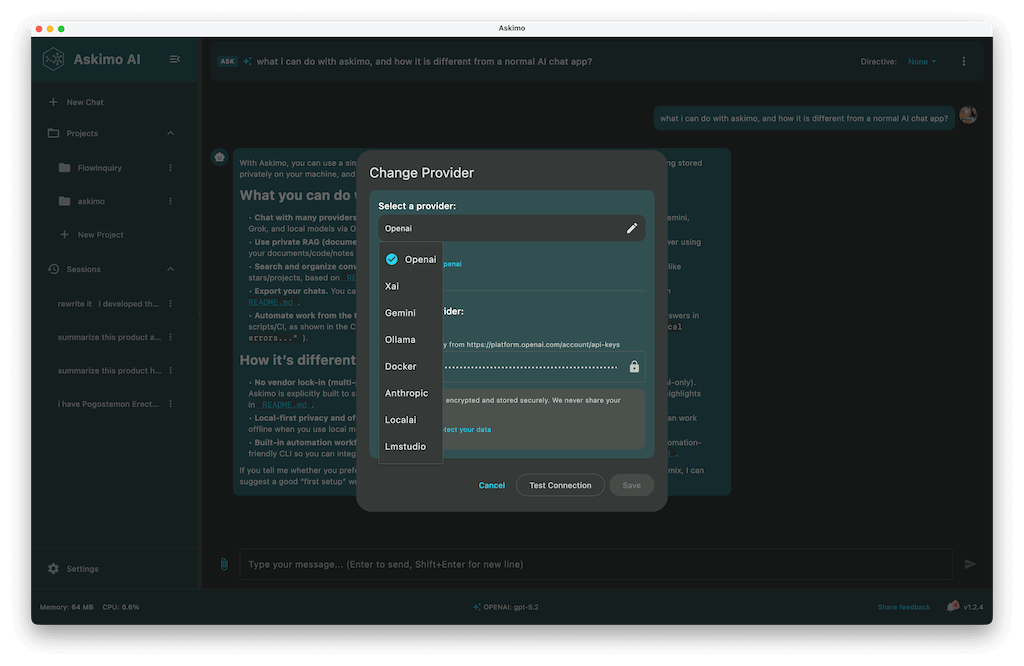
Supported providers:
- OpenAI (latest GPT models)
- Anthropic (latest Claude models)
- Google (latest Gemini models)
- Ollama (Llama, Mistral, Phi, CodeLlama, and 100+ local models)
- LM Studio, LocalAI, Docker AI (self-hosted and enterprise setups)
- Grok (xAI)
Key Features
Full-Text Search Across All Conversations Every message from every model is indexed locally. Find any insight, code snippet, or decision from weeks ago in seconds.
RAG - Chat With Your Own Documents Index PDFs, code repositories, internal wikis, or any document collection. Ask questions and get answers grounded in your actual data, not hallucinated from training weights. See RAG in action ->
AI Plans - Multi-Step Automated Workflows Chain prompts across models into automated pipelines. Each step passes its output to the next - research, write, review, export. No manual copy-pasting between steps. See AI Plans ->
MCP Tool Integration Connect to GitHub, databases, local files, and external APIs directly from chat via the Model Context Protocol. MCP integration guide ->
Script Runner Execute AI-generated Python, Bash, or Node scripts in a sandboxed environment without leaving the app.
Complete Visual Customisation Themes, fonts, custom icons, 4K/8K monitor support.
Who Benefits Most
Developers - Claude for code, GPT for docs, Ollama for private repos, Gemini for diagrams. All in one place, all searchable.
Business Analysts - Gemini for financial charts, OpenAI for summaries, Ollama for confidential models.
Researchers - RAG across your entire paper library, multi-model comparison, offline capability.
Business Owners - Cheaper models for routine tasks, premium models for strategy, full privacy for sensitive documents.
The Case Against Using Just One AI Model
AI evolves monthly. New models ship with new strengths and new pricing. Locking into one platform means:
- Missing state-of-the-art capabilities the moment a better model ships
- Paying premium rates even for tasks a free local model handles equally well
- No fallback when a provider has an outage or rate-limits you
- No privacy option when the work requires it
A multi-provider AI desktop app gives you the freedom to adapt as the landscape shifts - without changing your workflow or migrating your conversation history.
Frequently Asked Questions
Can I switch AI models in the middle of a conversation? Yes. Askimo lets you change the active model at any point in a conversation. The full chat history is passed to the new model so it picks up exactly where the previous one left off.
Do I need an API key for every provider? You need API keys for cloud providers (OpenAI, Anthropic, Google). Local models via Ollama or LM Studio require no API key - they run entirely on your machine.
Is Askimo really free? Yes. Askimo is free and open source. You only pay for cloud API usage at the provider’s standard rates. Local models (Ollama, LM Studio, LocalAI) have no cost at all.
How does Askimo protect my API keys? API keys are stored in your OS keychain - macOS Keychain, Windows Credential Manager, or Linux Secret Service. They are never written to disk in plain text.
Which local model should I use with Ollama? For general tasks: Llama 3 8B or Mistral 7B. For code: CodeLlama or DeepSeek Coder. For low-memory machines: Phi-3 Mini. All are free to download and run via Ollama.
Does Askimo work offline? Yes - for local models. Conversations with Ollama, LM Studio, and LocalAI work with no internet connection. Cloud providers require an active connection.
Get Started - Free on macOS, Windows, and Linux
Download Askimo and start using ChatGPT, Claude, Gemini, and Ollama together in one app. No account required. No credit card.
- ✅ Free and open source
- ✅ macOS, Windows, Linux
- ✅ Cloud and local models
- ✅ Search, RAG, AI Plans, MCP tools built-in
Or try Askimo CLI for terminal and automation workflows.
⭐ Star Askimo on GitHub to follow development and help shape what gets built next.